How to Create a Masjidbox Account
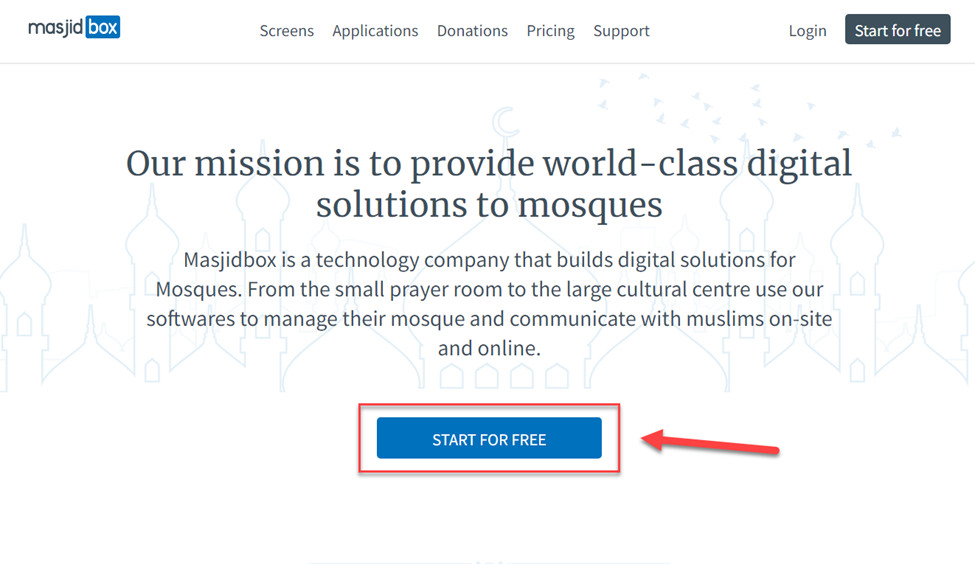
To create a new Masjidbox account, click the link below or click Start for free. https://dashboard.masjidbox.com/register
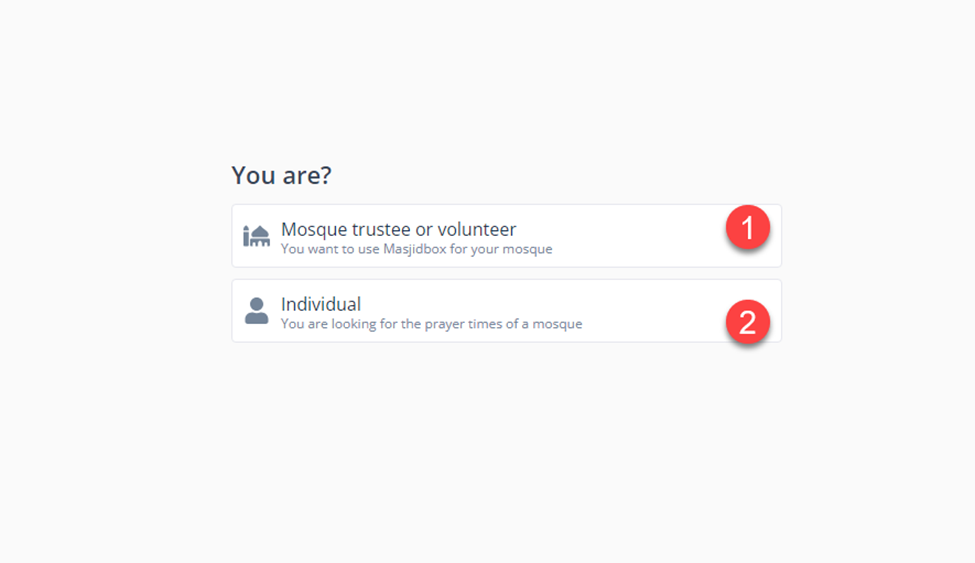
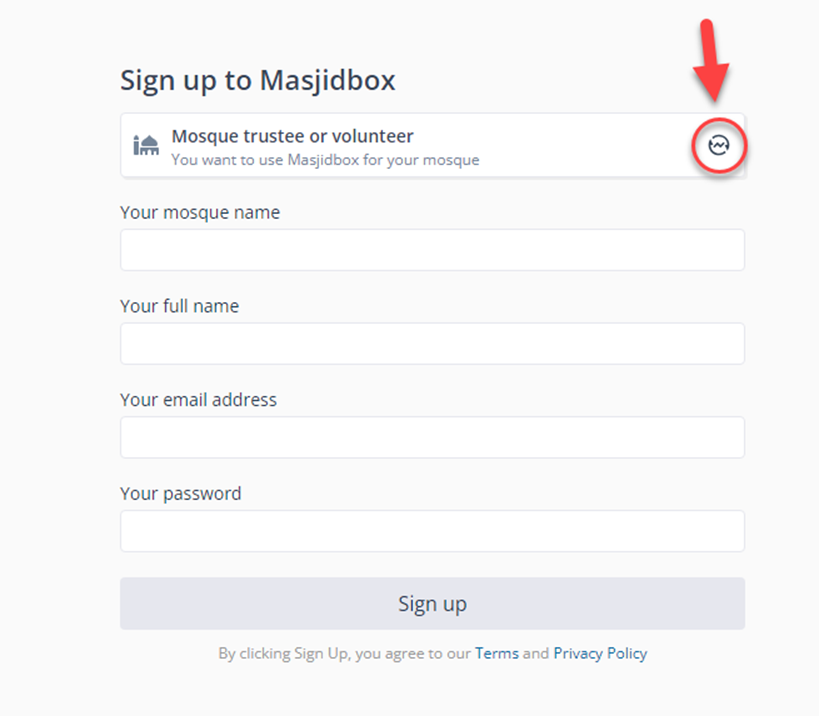
If you want to use Masjidbox for your mosque, please choose number ⁽¹⁾, and if you are looking ONLY for prayer times for a specific mosque you can choose number ⁽²⁾
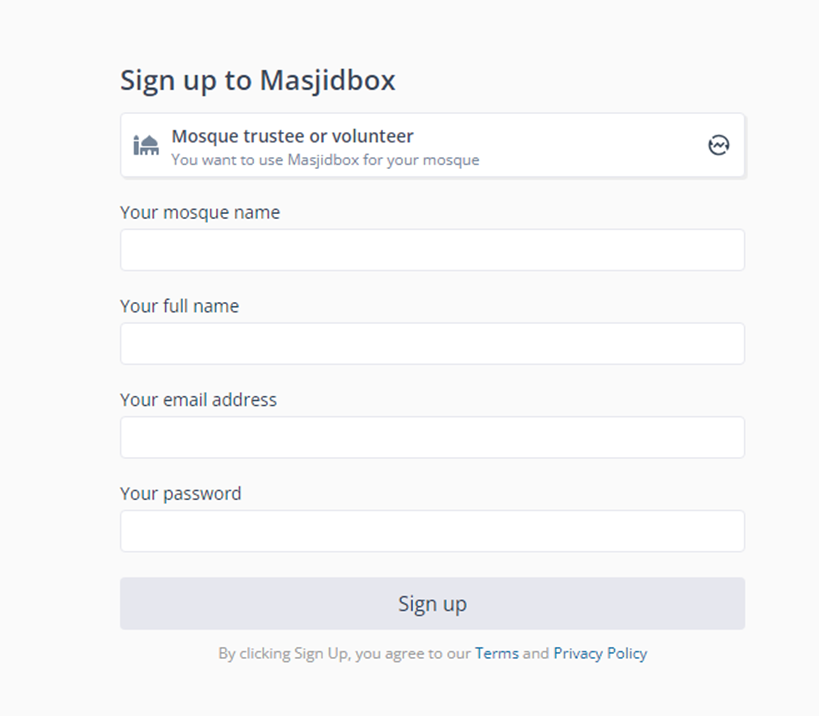
To sign up as a volunteer, you need to enter the mosque’s name, full name, email address, and password then click on Sign up.
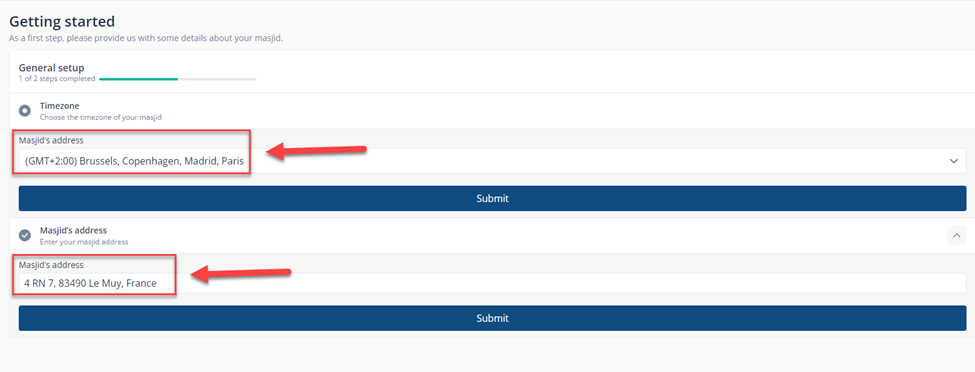
Now, you will have to enter the mosque’s address and the time zone then click on submit.
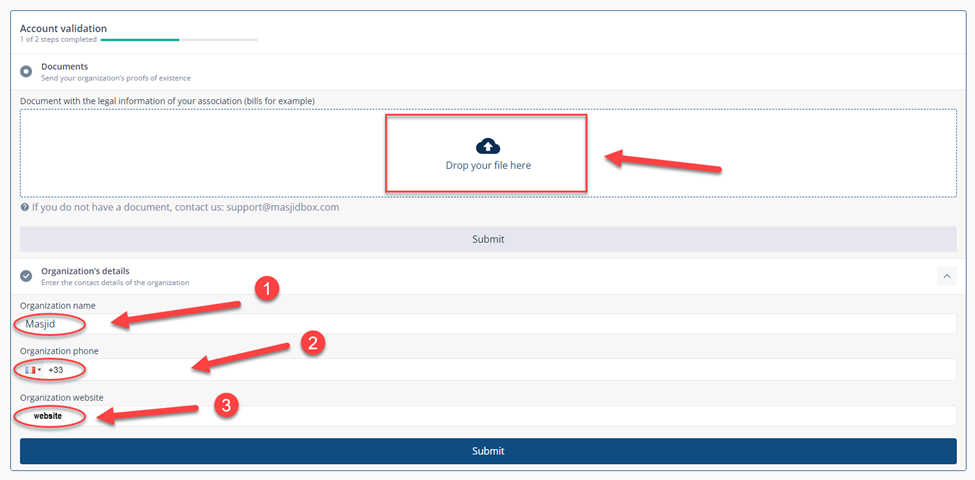
Enter your organization’s details, the name ⁽¹⁾, phone number ⁽²⁾, and the website ⁽³⁾ if you have one then upload any documents or bills, make sure they have the legal information of your organization, and click on submit. ${color}[#ec1818](NOTE: Our team will review the documents uploaded and approve the account as soon as possible_ _)
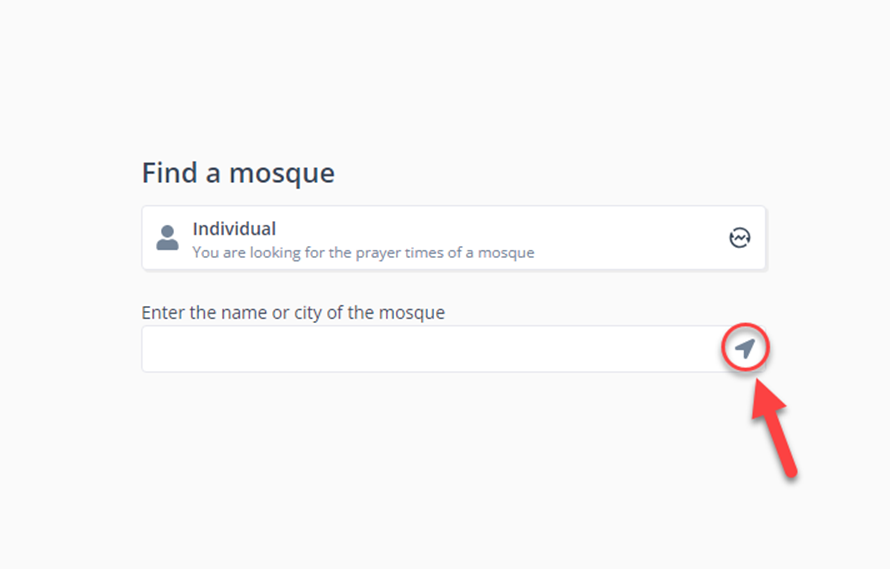
To sign up as an Individual, you can click on the switch icon in the red circle.
Enter the city, and the mosque’s name or click on the location icon to add it automatically.