How to Set Your Prayer Times
Prayer times must be managed through your web dashboard at dashboard.masjidbox.com. The mobile app and other interfaces display prayer times but cannot edit them.
After updating prayer times, changes take 5-15 minutes to sync across all your displays, apps, and widgets due to caching. If you need changes to appear faster, contact support.
To set up your prayer times:
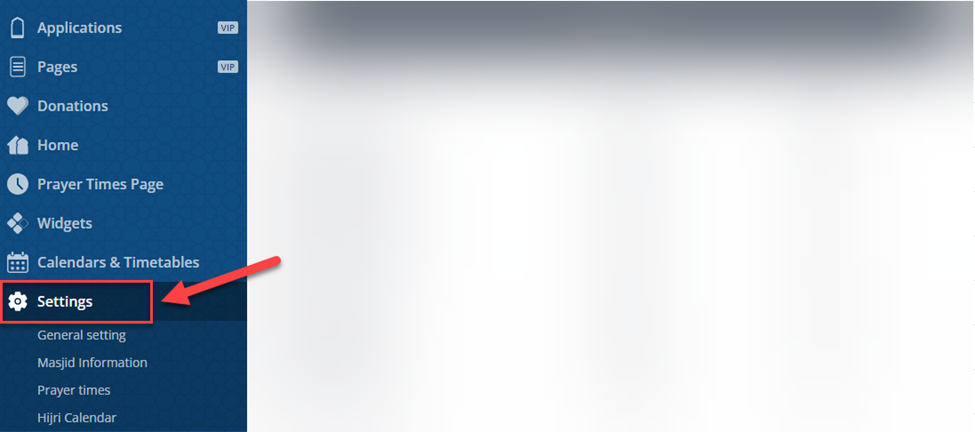
Go to the dashboard, then Settings
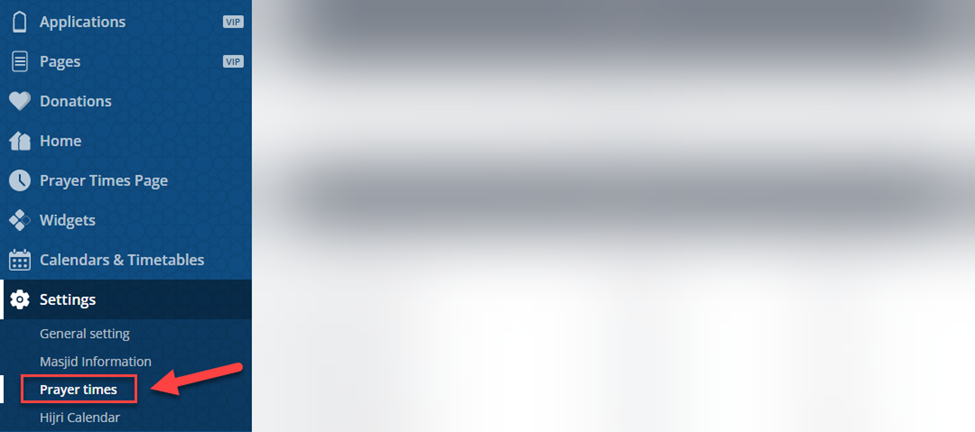
Click on Prayer Times
In the Prayer Times calculation, click on Edit
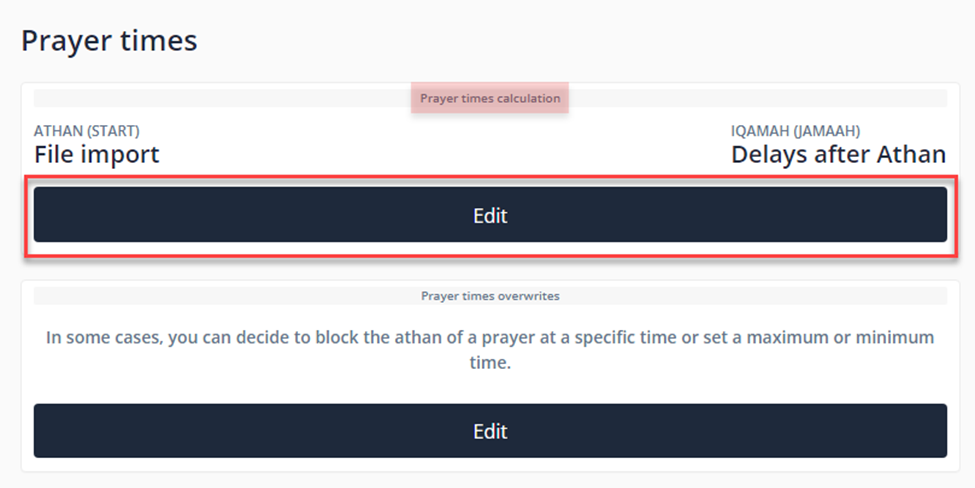
Choose what you wish to adjust, Athan times (Start) ⁽¹⁾ or Iqamah Time (Jamaah) ⁽²⁾
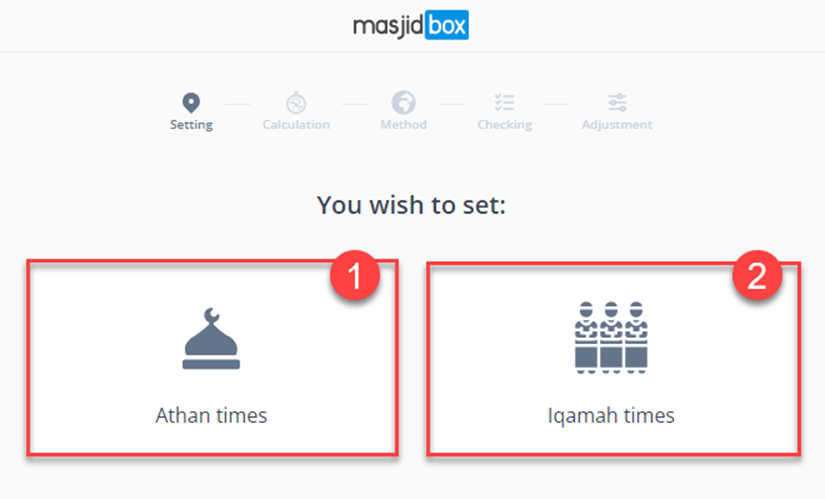
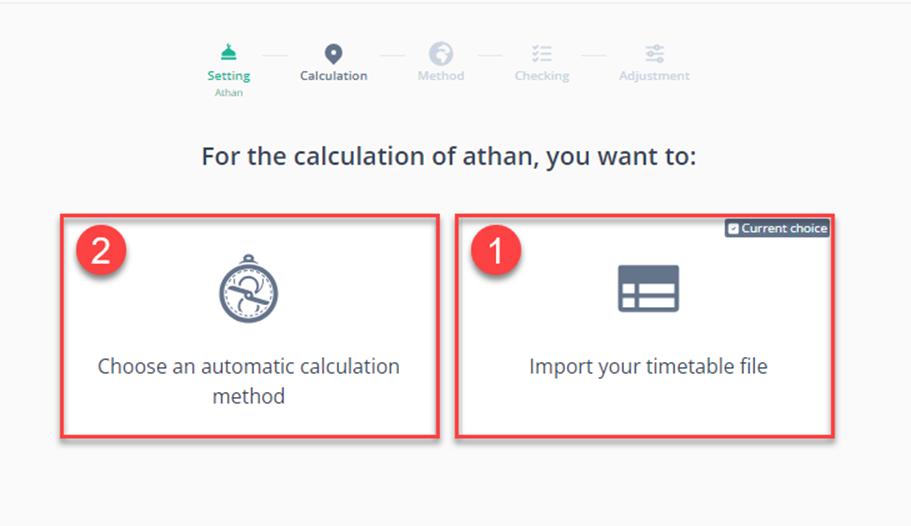
In the Athan times, you can either choosethe Timetable file ⁽¹⁾ to upload your edited XLSX or CSV models provided by Masjidbox or the Automatic calculation ⁽²⁾
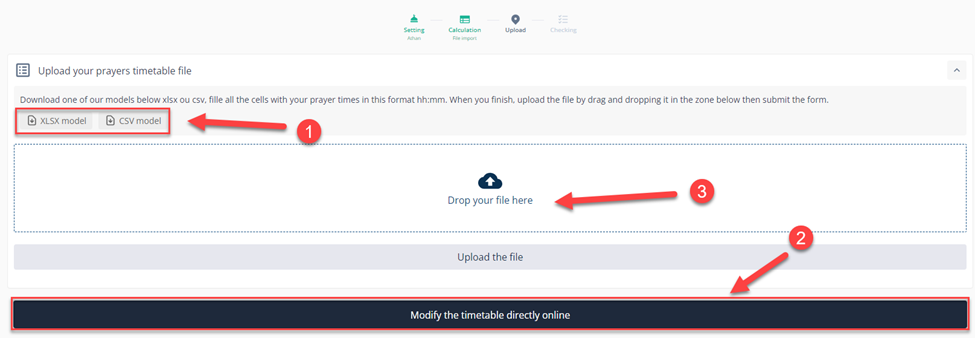
If you click on Import your timetable file, you will get this page where you can choose the Timetable model and download it with a click on the model you want ⁽¹⁾, or modify it directly online⁽²⁾.
Upload your edited Excel file after filling it with the prayer times, then click on Upload the file⁽³⁾.
Once the file is uploaded, click on Validate⁽⁴⁾.
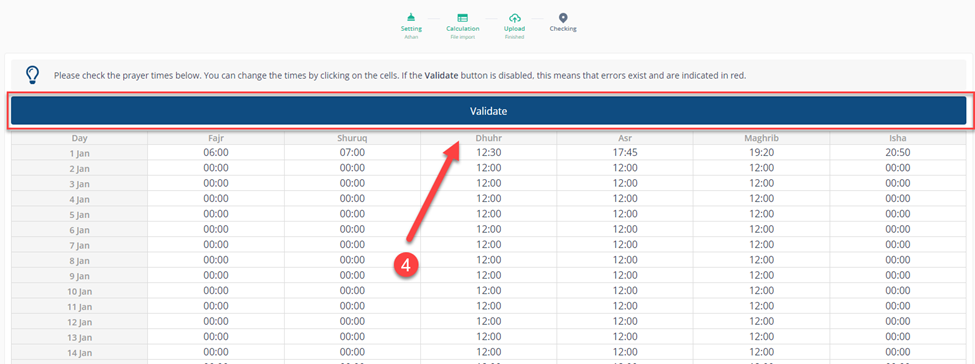
${color}[#e51515](_NOTE: Please check the prayer times below. You can change the times by clicking on the cells. If the Validate button is disabled, this means that errors exist and are indicated in red._ )
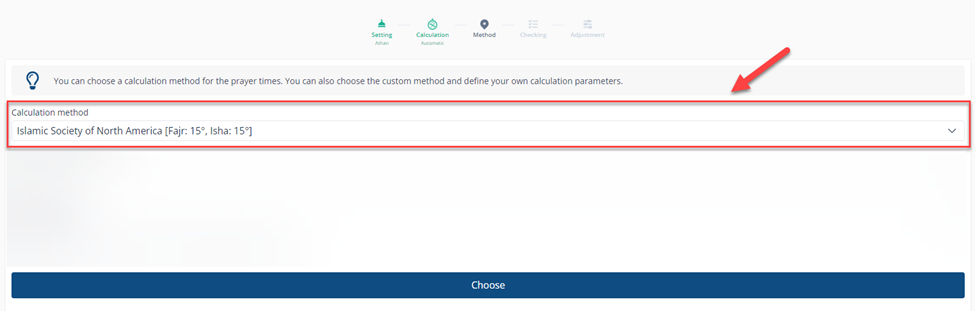
Now, if you choose the automatic calculation, you can change the Calculation method by choosing one of the available options or clicking on the personalized method.
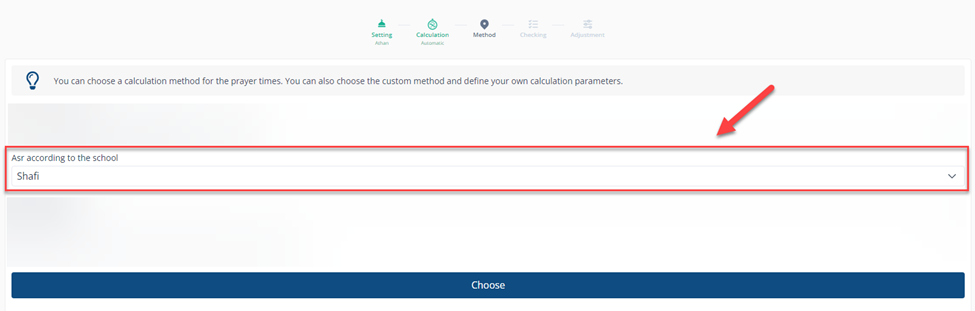
In the Asr Prayer, and according to your school, you can choose between Shafi and Hanafi.
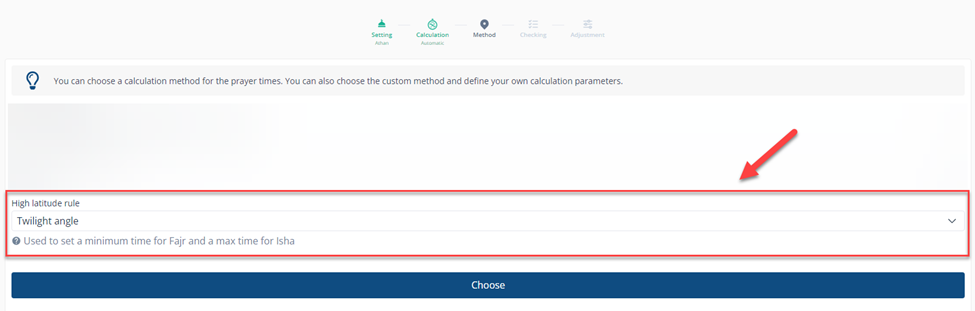
For the High latitude rule, you can choose between Midnight, One Seventh, and Twilight Angle to set the minimum time for Fajr and the maximum time for Isha, then click on Choose.
If all the times are correct, you can click on (Yes, perfect) ⁽¹⁾ or if you want to make some changes,ges you can choose (Almost, adjust the times) ⁽²⁾
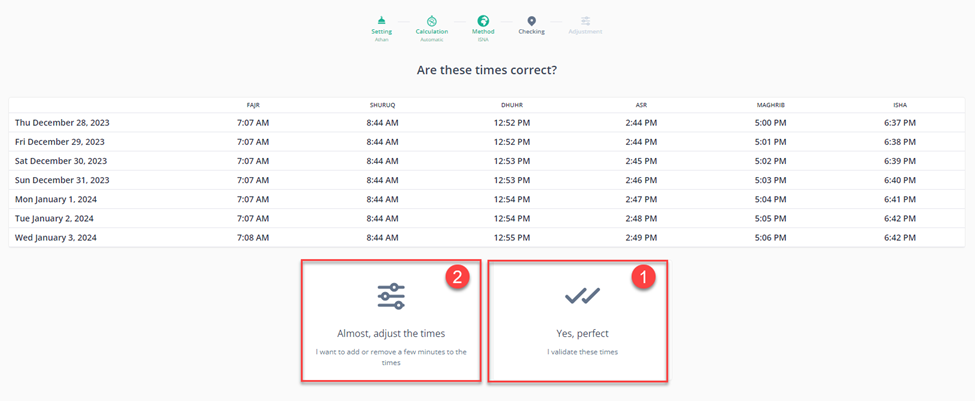
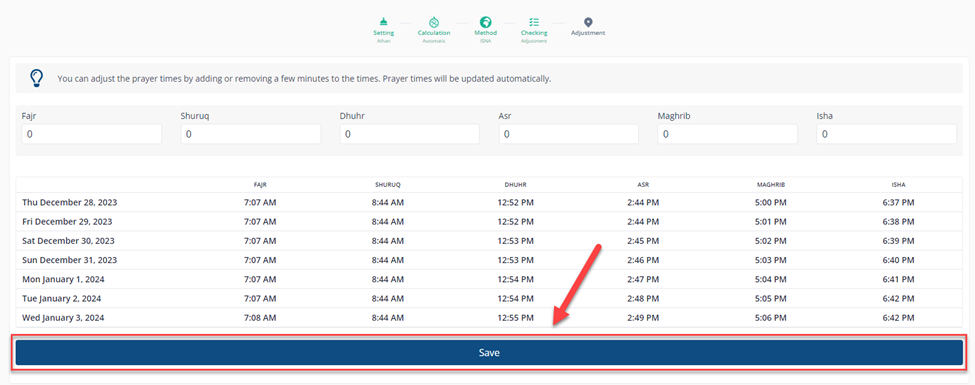
If you click on (Almost, adjust the times),mes) You can adjust the prayer times by adding or removing a few minutes to the times, then click on Save.
Prayer times update automatically but take 5-15 minutes to sync across screens, apps, widgets, and your website. Plan when making time-sensitive changes.
You can also overwrite the time of each prayer by going to the first page and clicking on Edit in the Prayer Times Overwrites.
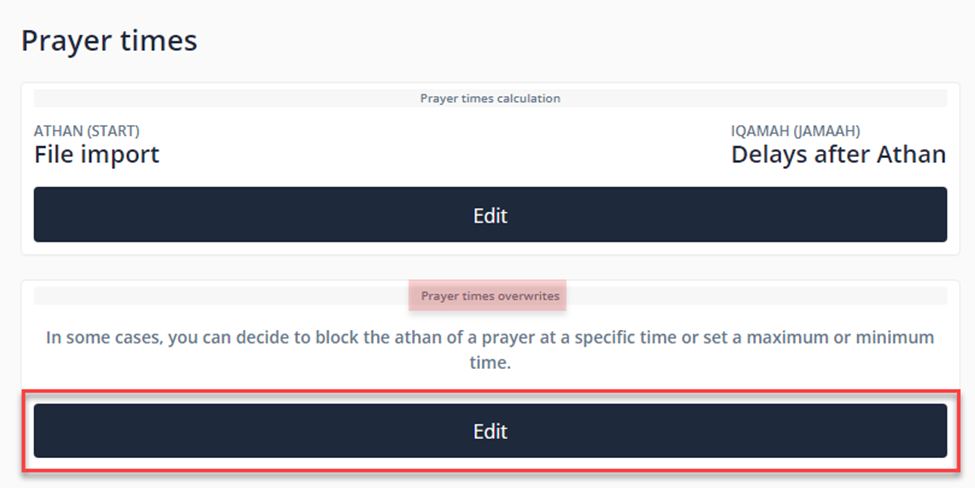
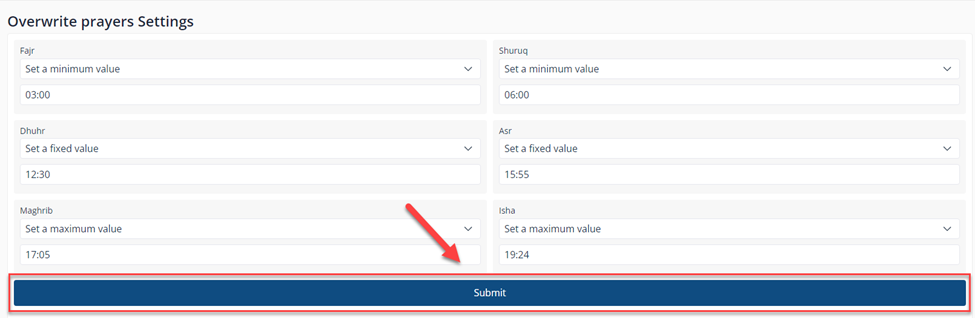
Choose one of the Prayers & set the time you want by choosing between minimum, fixed, and maximum values, then click Submit. For example:
Minimum value: The time will never exceed the value. For example, if you set the time at 11:00 and the actual time is 12:00, it will stay at 12:00, but if it's 10:00, it will be overwritten to 11:00.
Fixed value: The time will always be the same.
Maximum value: The time will always be at most the value.