
How to add a Live Video
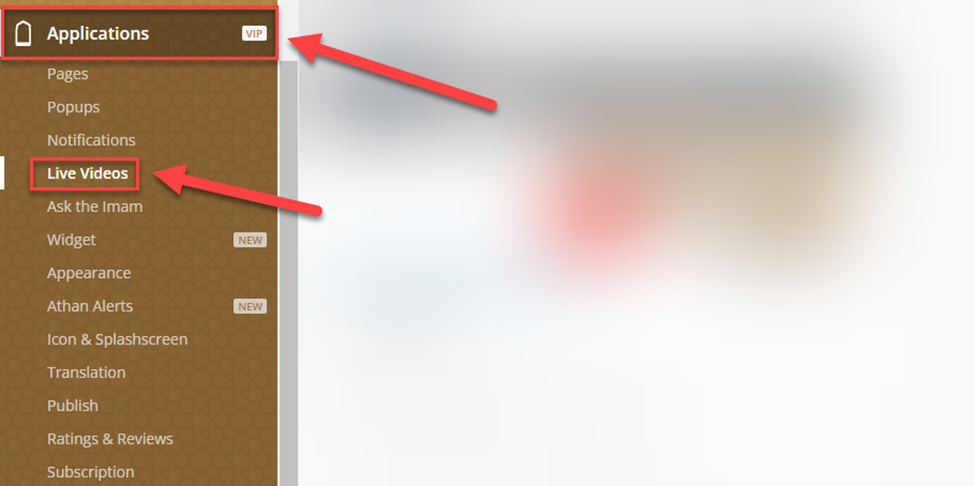
In the Dashboard, click on Applications, then Live Videos
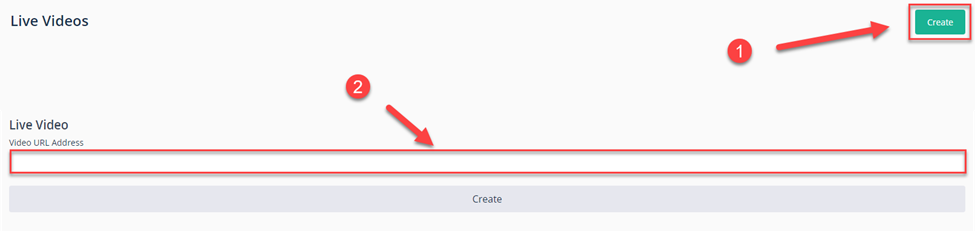
Click on create⁽¹⁾ and enter your Video URL⁽²⁾ and click on create.
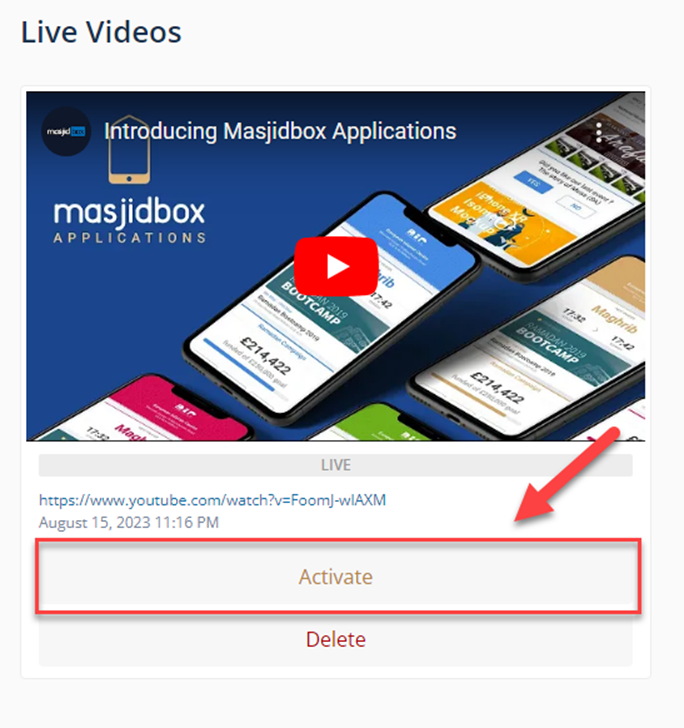
Now, click on Activate to make the video Live.
Was this helpful?
Was this helpful?
In the Dashboard, click on Applications, then Live Videos
Click on create⁽¹⁾ and enter your Video URL⁽²⁾ and click on create.
Now, click on Activate to make the video Live.