
How to Translate and customize all the texts displayed on your App
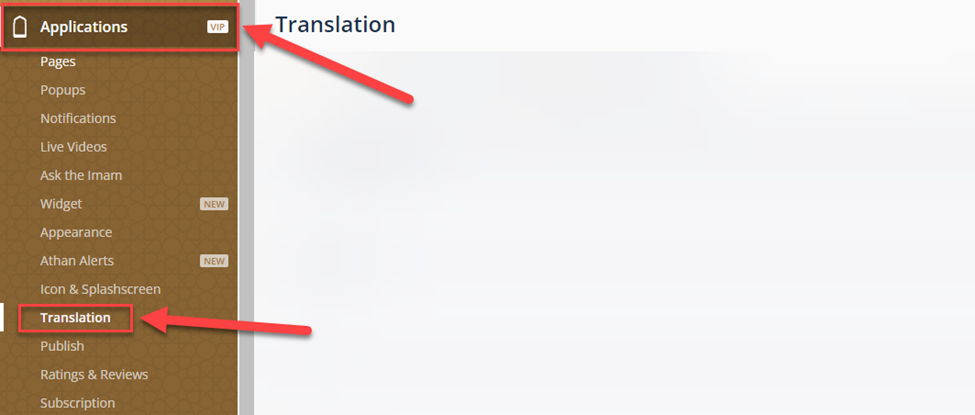
In the Dashboard, click on Applications, then Translation
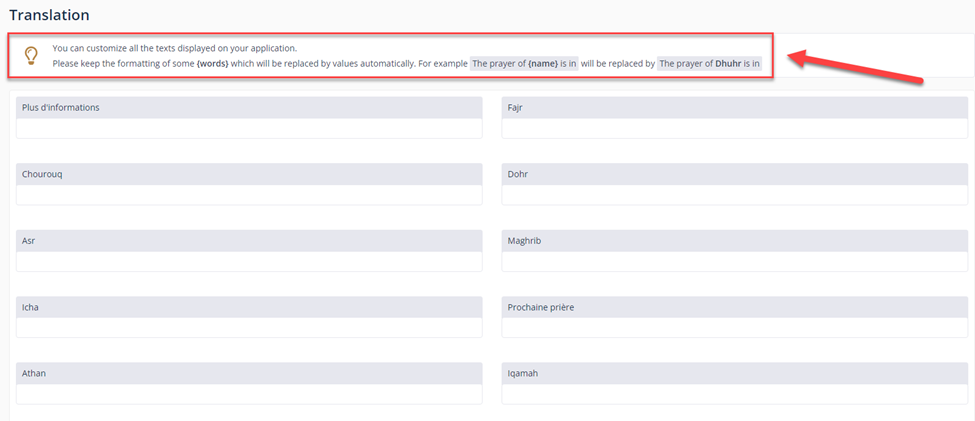
You can customize all the texts on your application
Now, you have to publish a new version of your application to apply your latest changes.
To do that, you need to go to Applications ⁽¹⁾, Publish ⁽²⁾, then choose the App operating system and click Send the request ⁽³⁾.
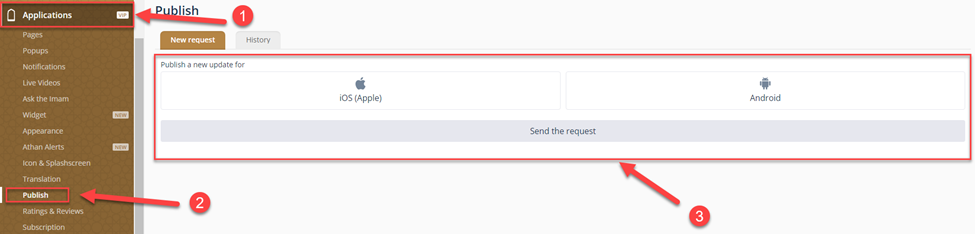
NOTE: The request will be added to the waiting list & will be approved ASAP
Was this helpful?
Was this helpful?