
How to add pages to your App
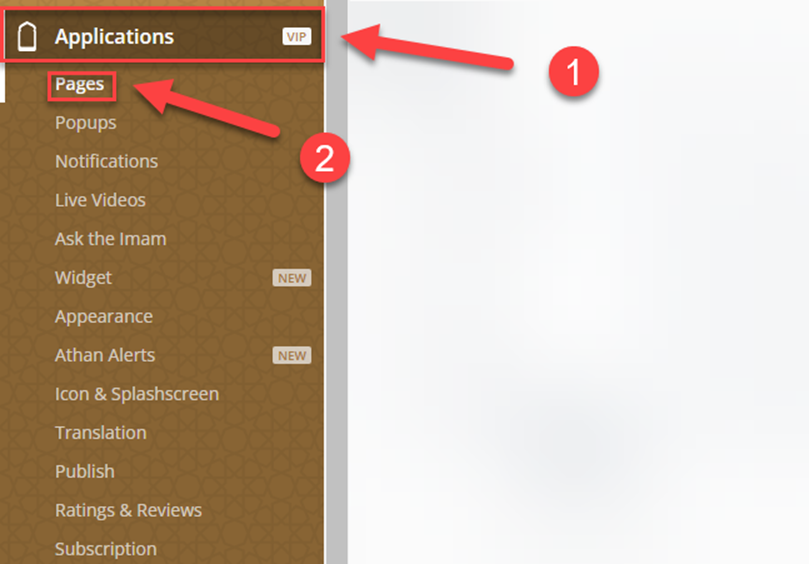
In the Dashboard, click on Applications⁽¹⁾ then pages⁽²⁾
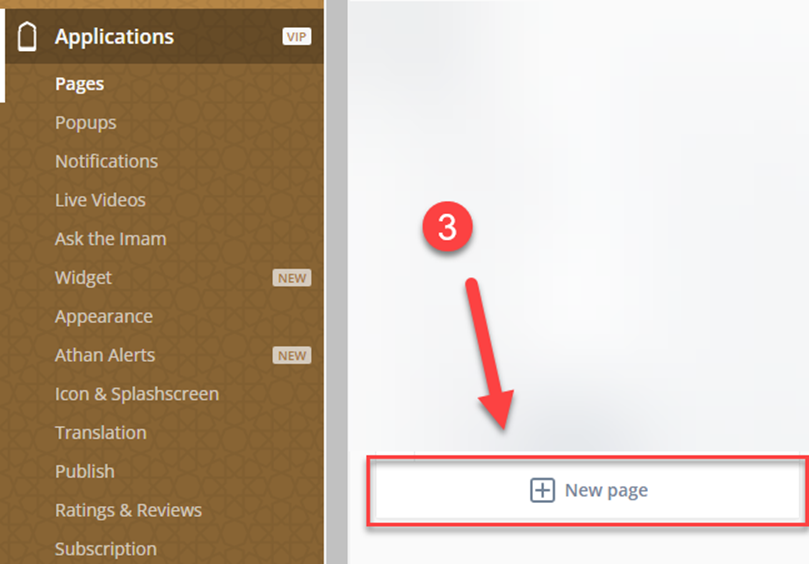
To add a Homepage, click on new page⁽³⁾
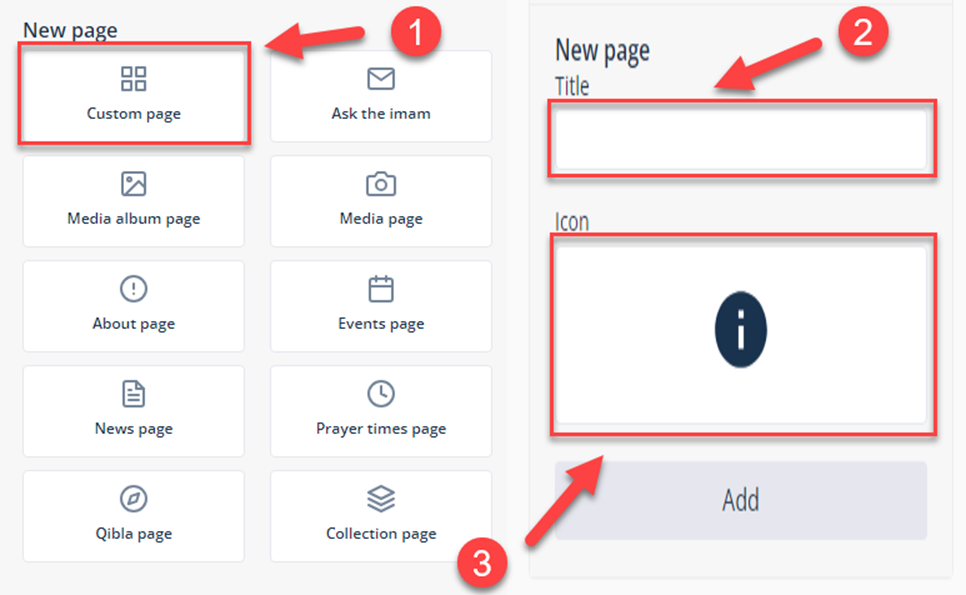
Choose Custom page⁽¹⁾, enter the name⁽²⁾ and & Icon⁽³⁾, then click on Add.
To add components to the home page, click on the 4 squares⁽¹⁾, new component, and choose the ones you want to add to your home page
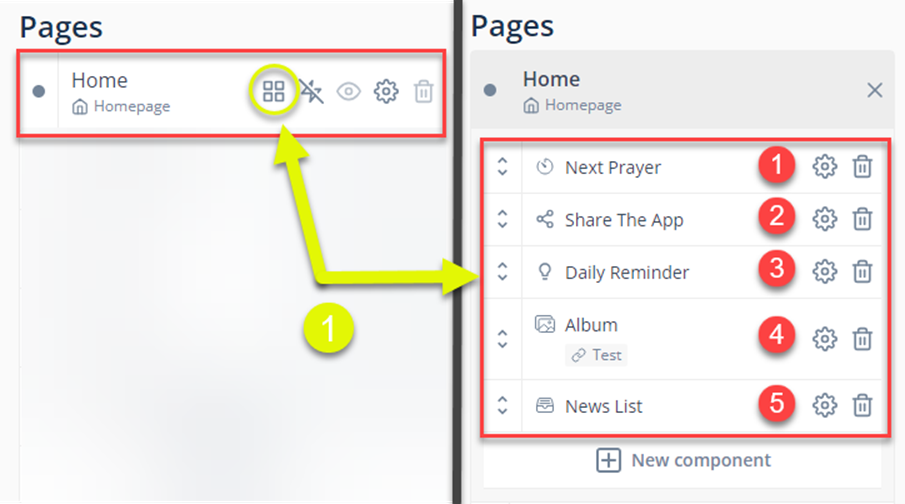
This is our demo App
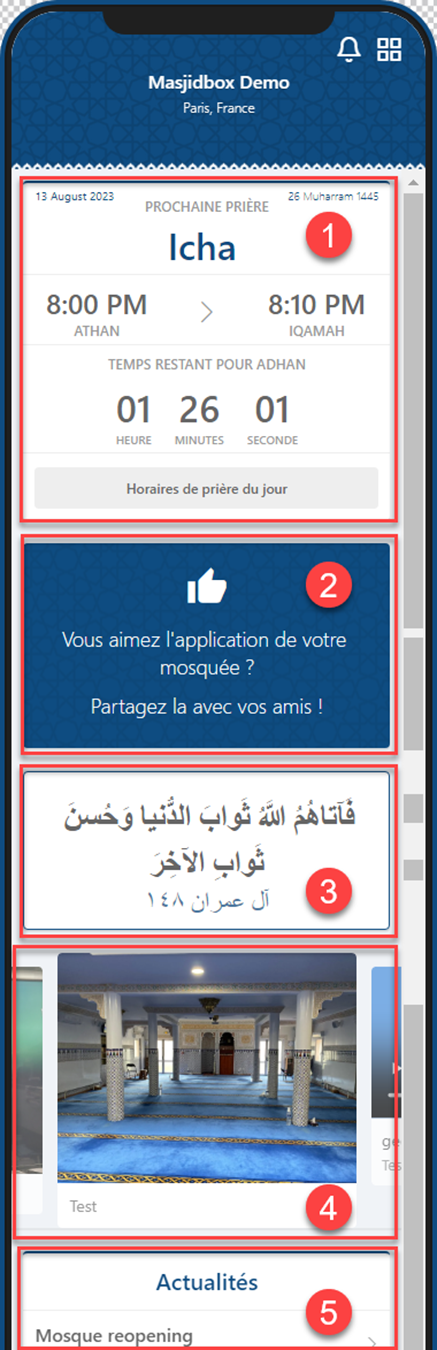
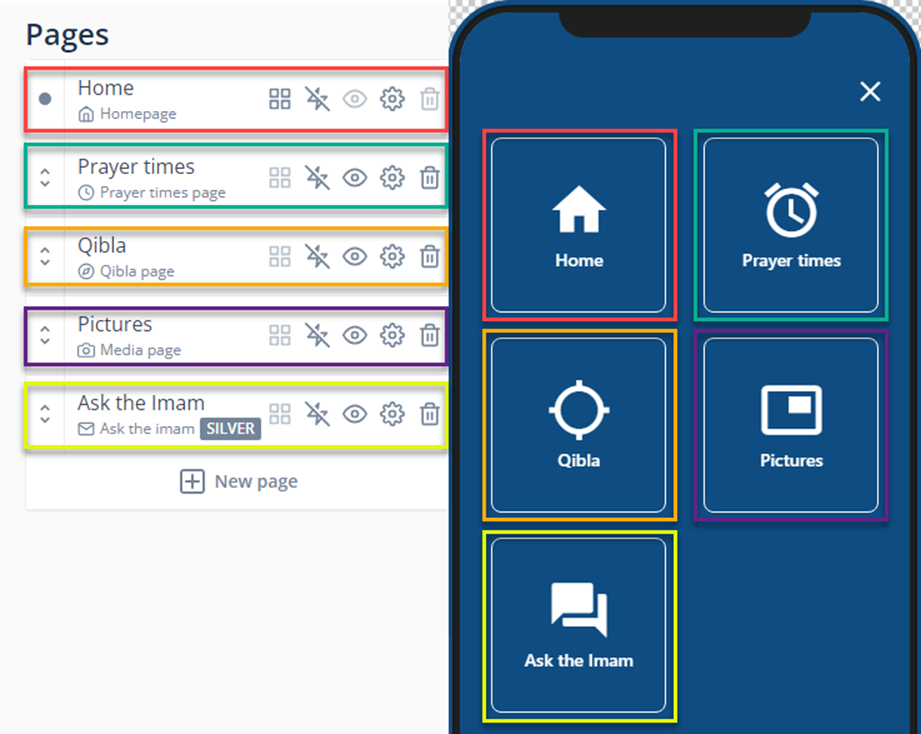
On the next pages we will add Prayer times, Qibla, Pictures and Ask Imam you can choose other pages if you want
Was this helpful?
Was this helpful?