
Add the small prayer times website widget
The Small Prayer Times widget displays a compact view of your prayer schedule on any website. It's designed for headers, sidebars, or anywhere space is limited.
Before you begin: Your prayer times must be configured in Settings > Prayer Times. Learn how to set prayer times.
Create the widget
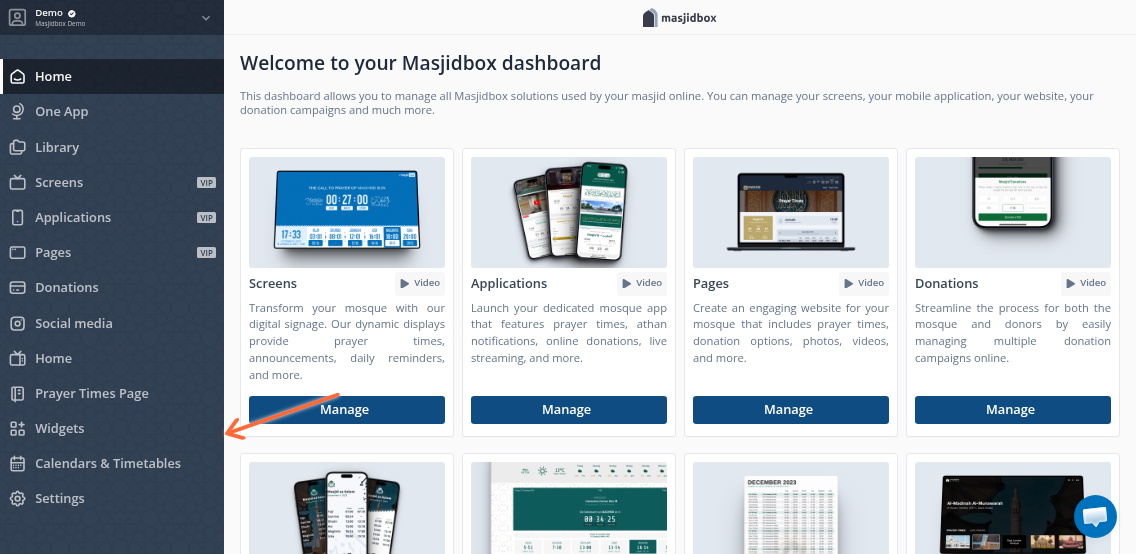
Open your Masjidbox dashboard and navigate to Widgets in the left sidebar.
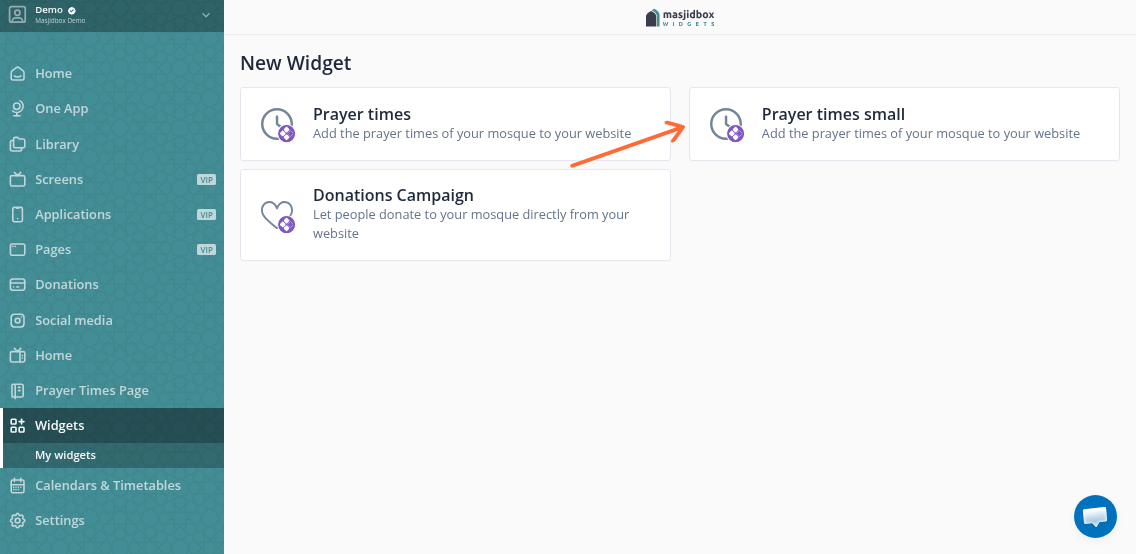
Click Create widget, then select Prayer times small from the widget options.
Customize the widget
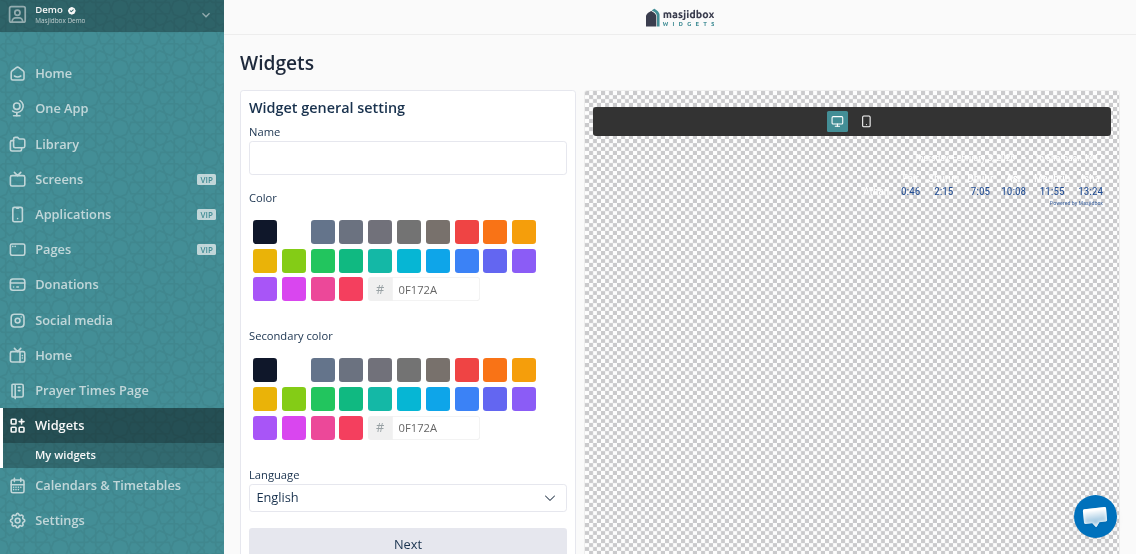
In the General tab, configure:
Name: Internal reference (not shown to visitors)
Primary color: Background color
Secondary color: Label and prayer name text color
Language: Display language for prayer names
Switch to the Options tab to control what displays:
Show Athan & Iqamah Times: Toggle to show or hide Iqamah times
Highlight Iqamah Times: Make Iqamah times bold
Show Jumuah: Display Friday prayer time
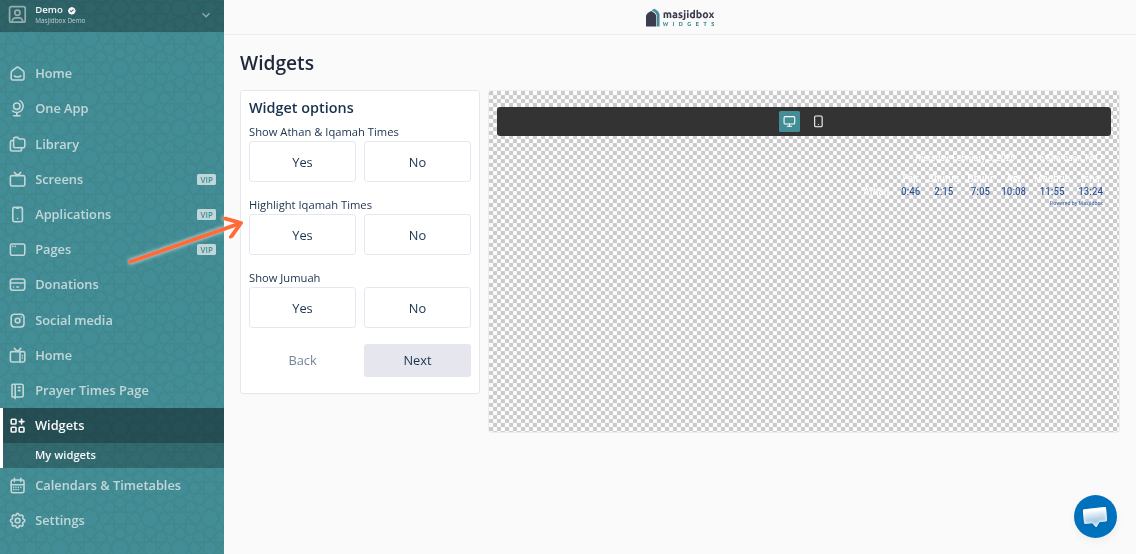
Use the live preview on the right to see changes as you customize.
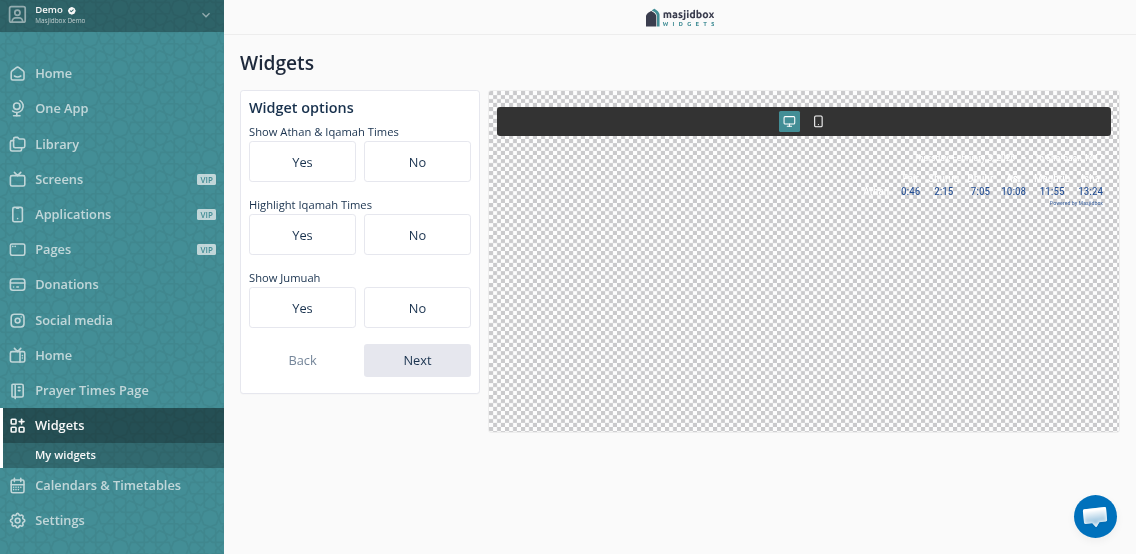
Click Save when finished.
Get the embed code
From your widgets list, find your newly created widget and click Get code.
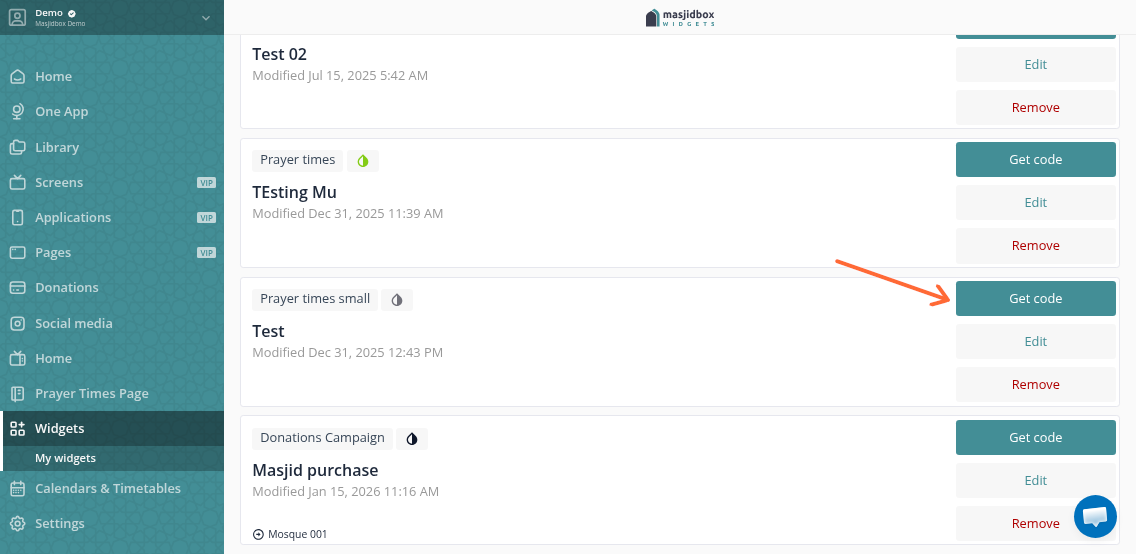
Copy the entire code snippet. It includes two parts: a script loader and the widget embed tag.
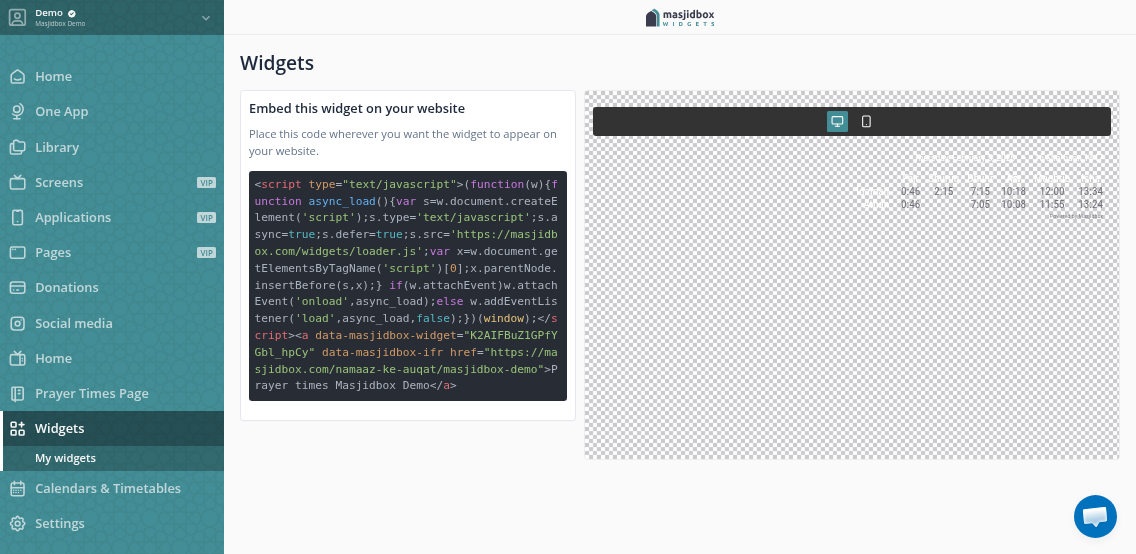
Add to your website
Paste the code anywhere in your website's HTML where you want the widget to appear. The widget loads asynchronously and adapts to available space.
Test the widget on your site. If it doesn't appear, check that your domain is allowed in the widget's Websites tab (e.g., *.yoursite.com).
The widget automatically updates when you change prayer times in your dashboard—no need to re-embed the code.