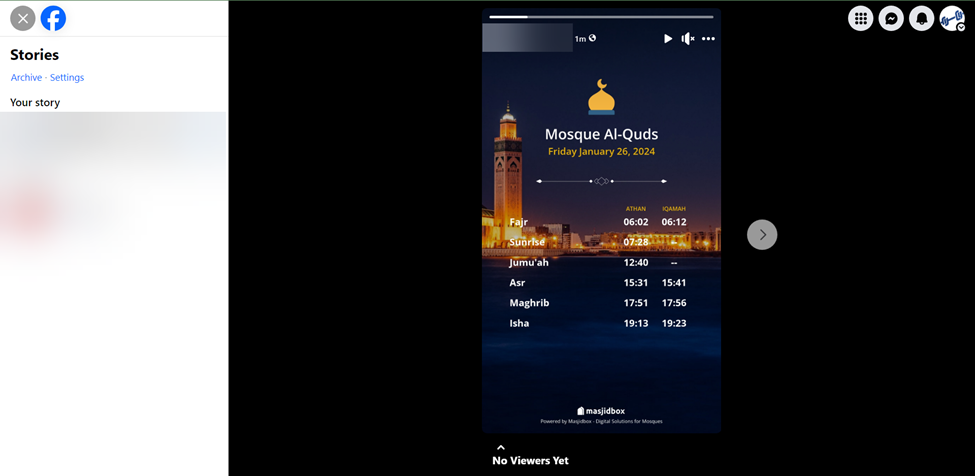
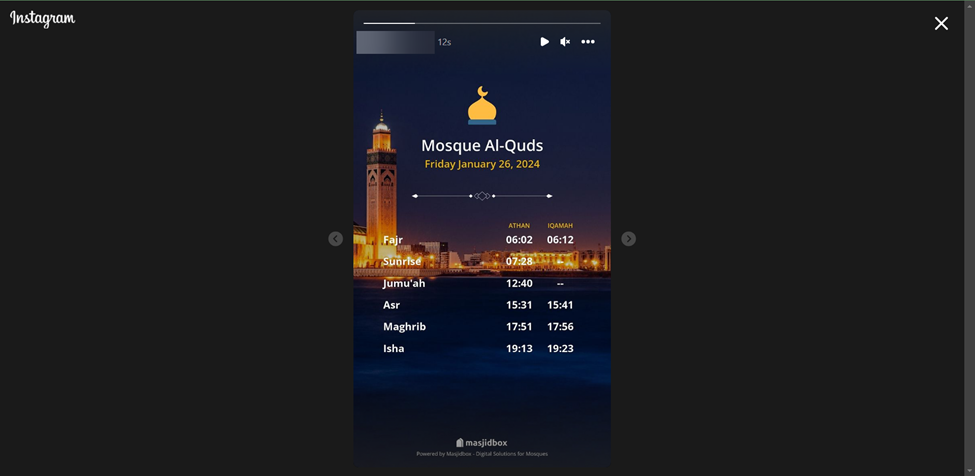
How to connect your Social media account & publish stories with your prayer times
First thing, ensure you have established your prayer time; here is a tutorial if you have not yet done so: How to Set Your Prayer Times.
In the Dashboard, choose Social media, then click on Connect to Facebook
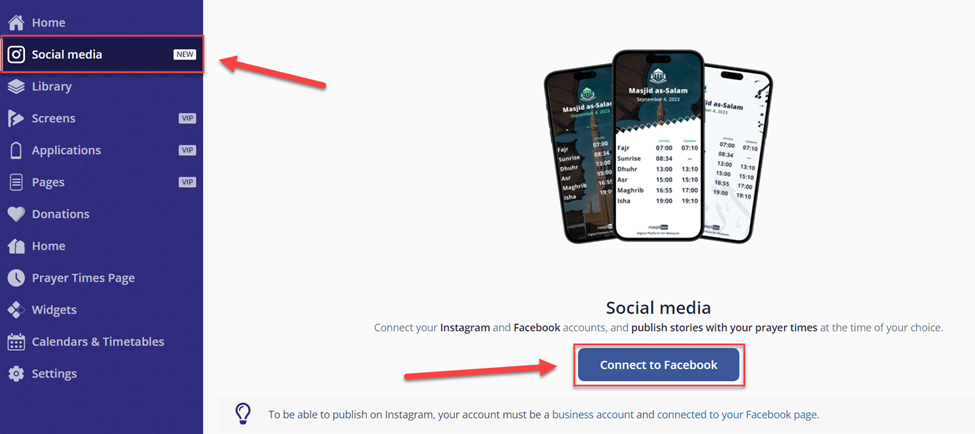
NOTE: To be able to publish on Instagram, your account must be a business account and connected to your Facebook page.
How to set up a business account on Instagram. How to connect a Facebook Page to your business Instagram accountLog inn with your Facebook account
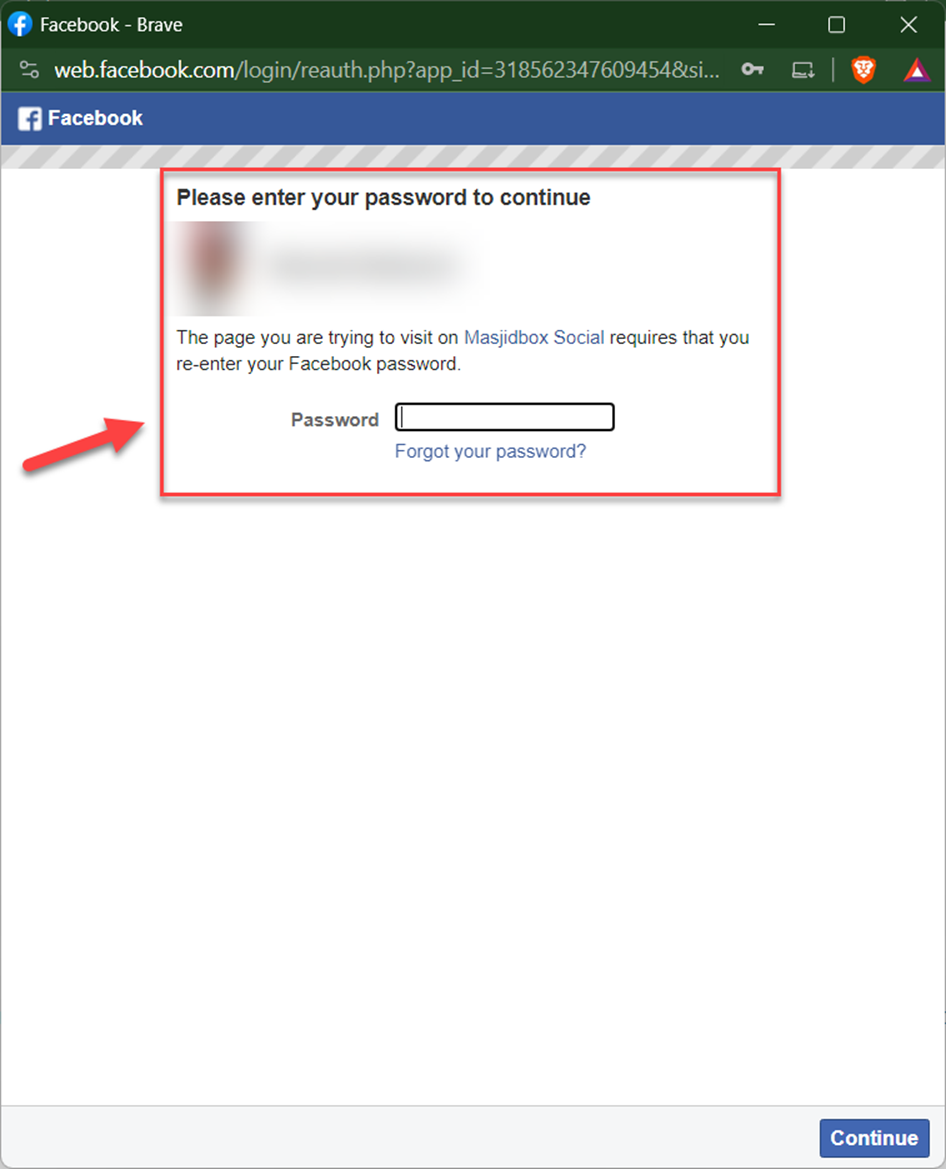
Click on continue as …
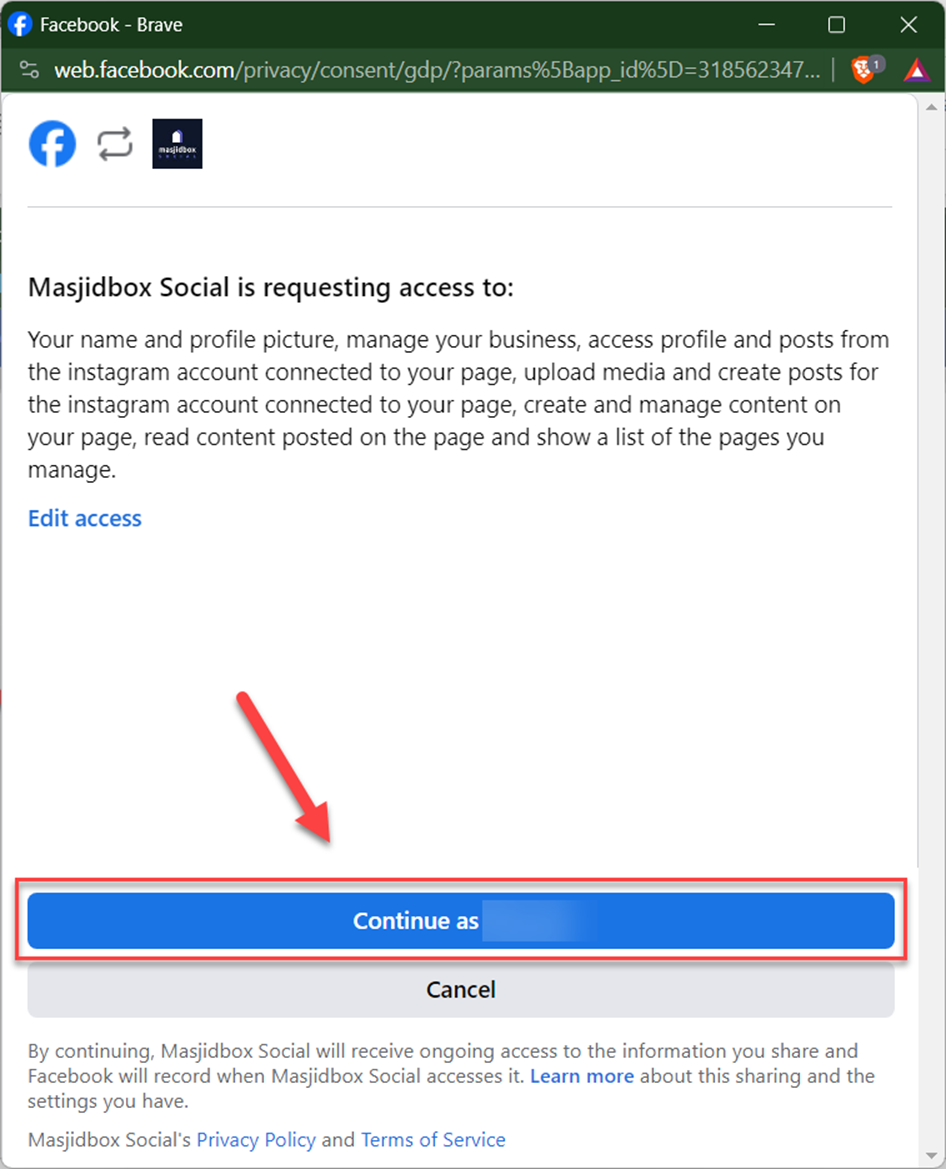
After that, it will redirect you to this page, where you can find all the Facebook & Instagram pages.
Select the page you want to use and click on Add pages
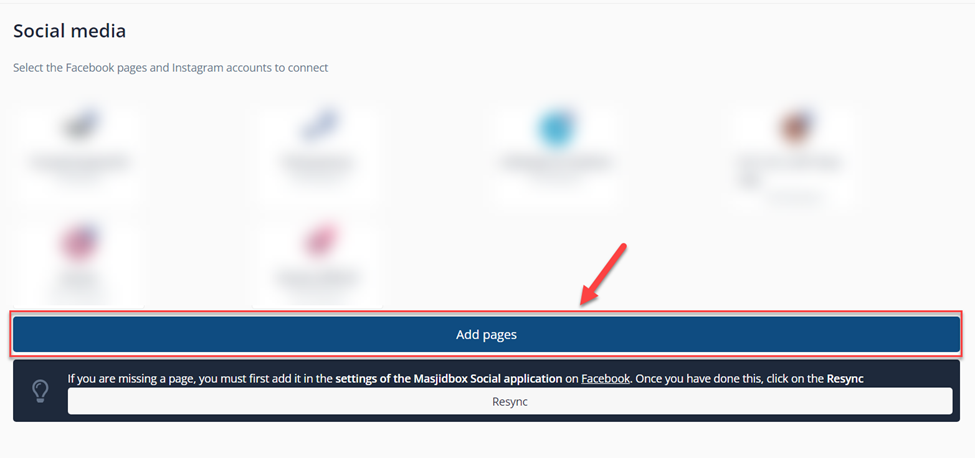
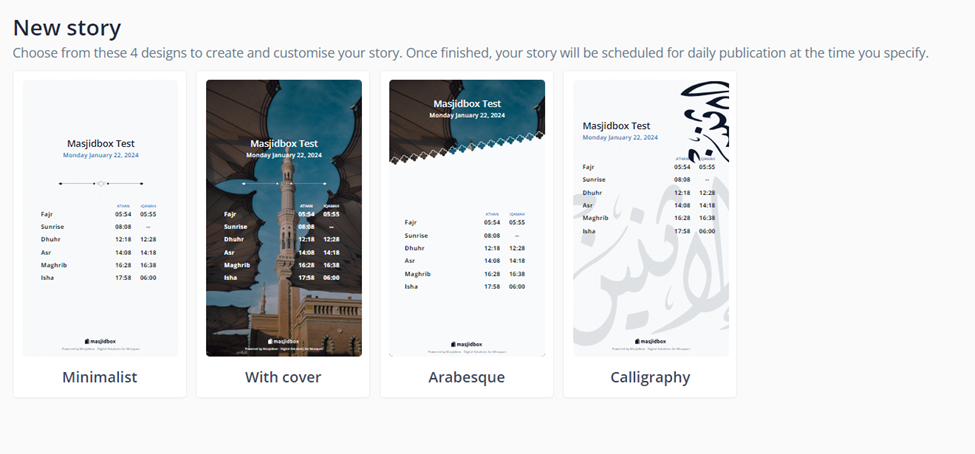
In this page, you will find 4 designs that you can use to create and customize your story
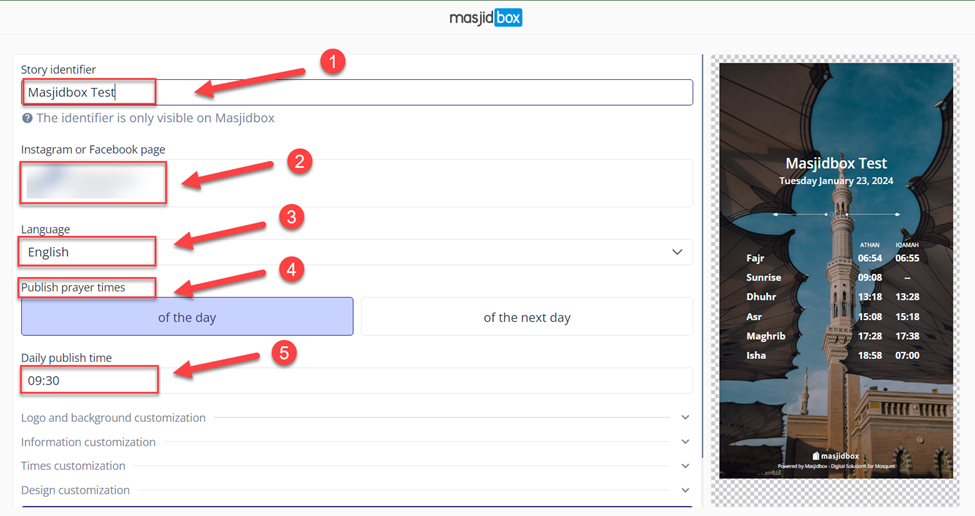
After choosing the design, you will need to enter the Story identifier ⁽¹⁾, select the page ⁽²⁾, the language ⁽³⁾, Publish prayer times ⁽⁴⁾, and the Daily publish time ⁽⁵⁾
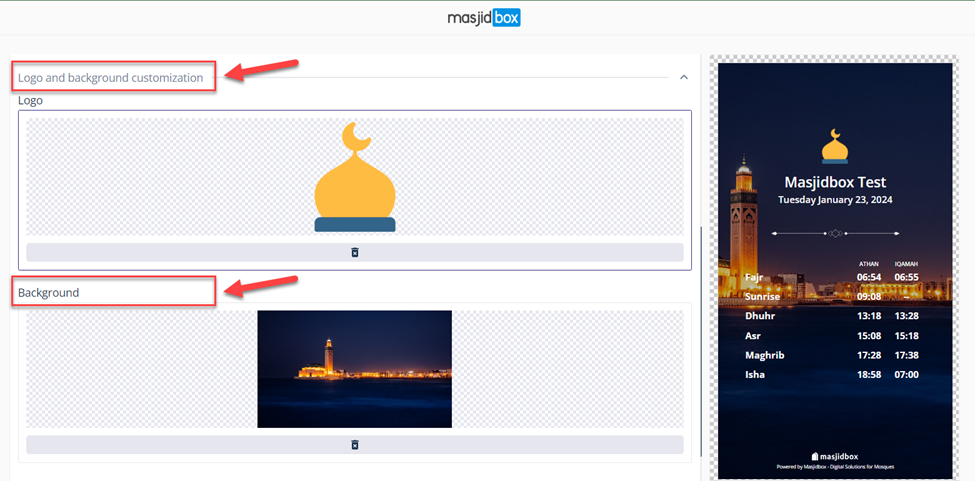
Now choose the logo and the background.
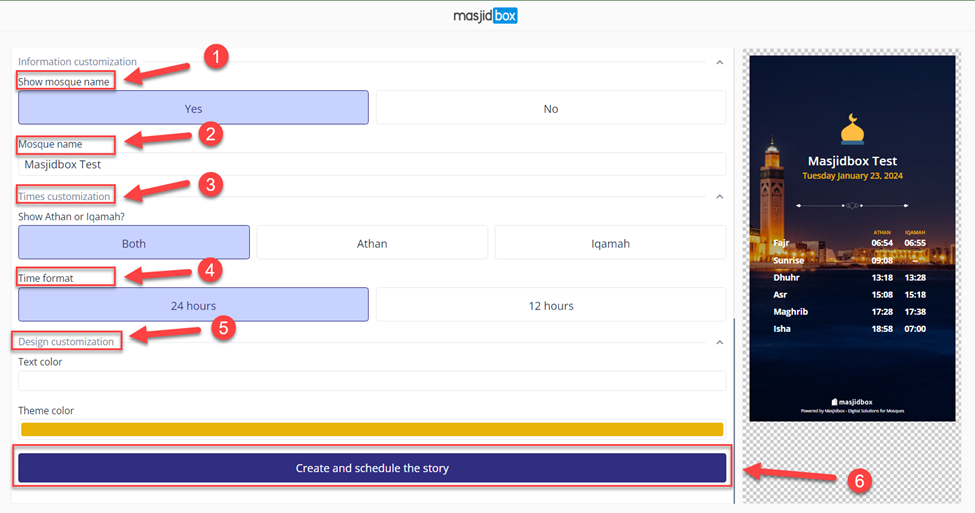
After that, you can choose YES to show the name of the mosque⁽¹⁾ and edit it⁽²⁾
In the Times customization⁽³⁾, you can show Athan or Iqamah or bot,h then you have the time format ⁽⁴⁾
In the Design customization⁽⁵⁾, you can change the text and the theme color. After that, click on create and schedule the story⁽⁶⁾
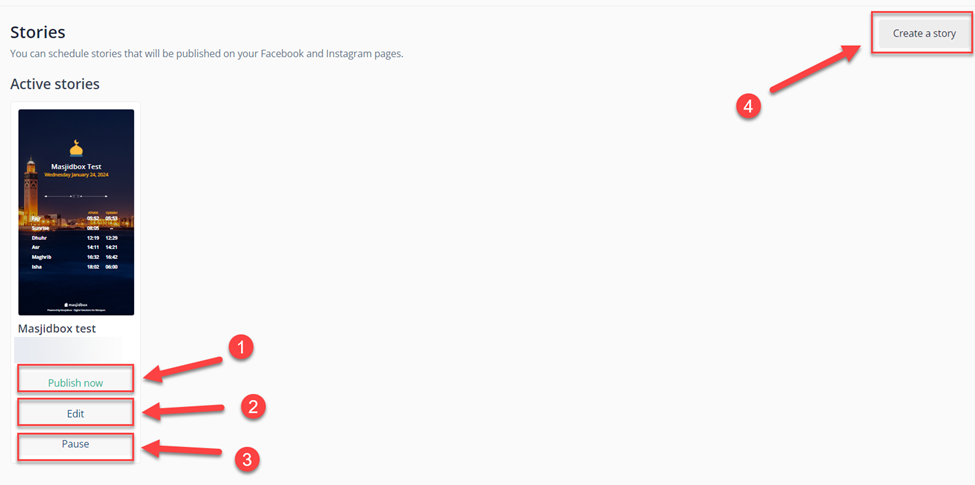
Here you find the active stories, you can publish it now⁽¹⁾, edit⁽²⁾, pause or remove it⁽³⁾, also you can create a new story⁽⁴⁾
You can schedule one story for Facebook and another for Instagram, the same thing we did (check the screenshot)
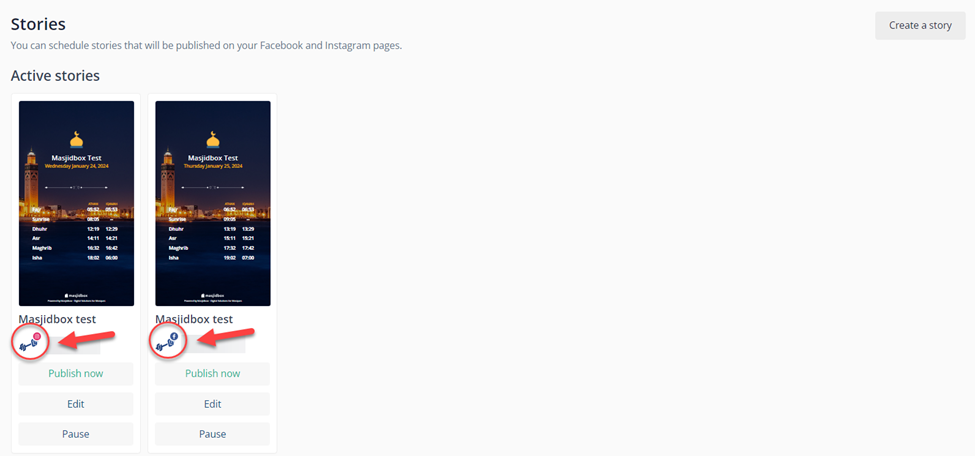
This is the final result