
How do I change my account email and name?
You can update your account name and email address anytime from your account profile settings.
Update your profile
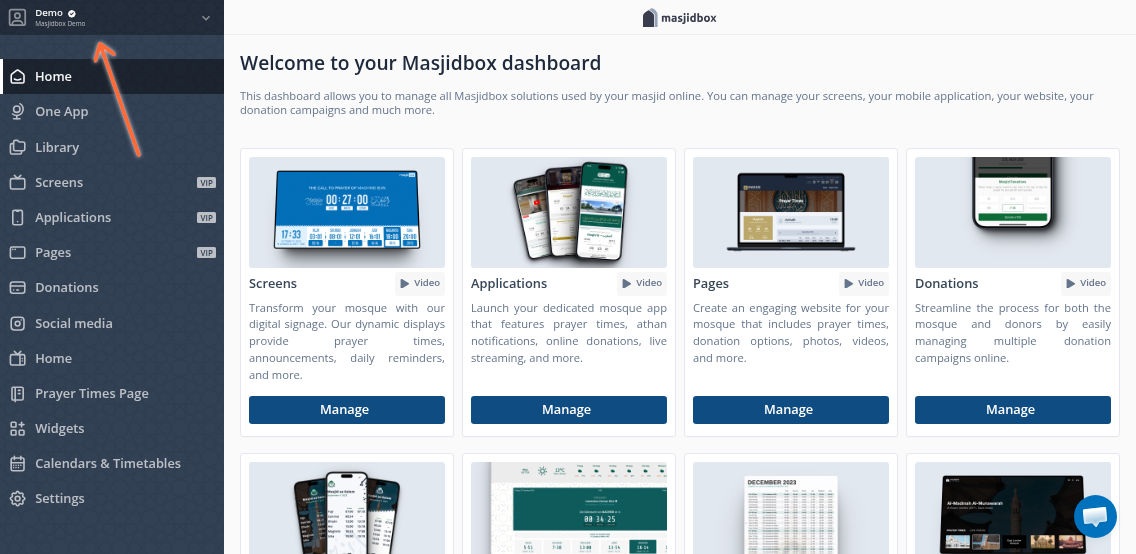
1. Access your account menu
Click your account name in the top-right corner of the dashboard.
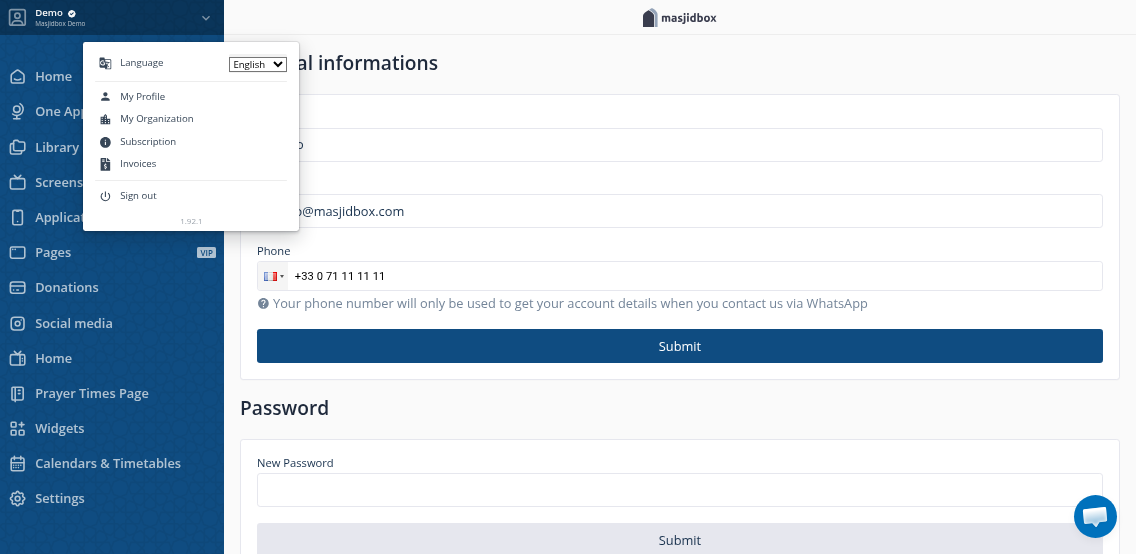
2. Open your profile settings
Select Profile from the dropdown menu to open your account profile page.
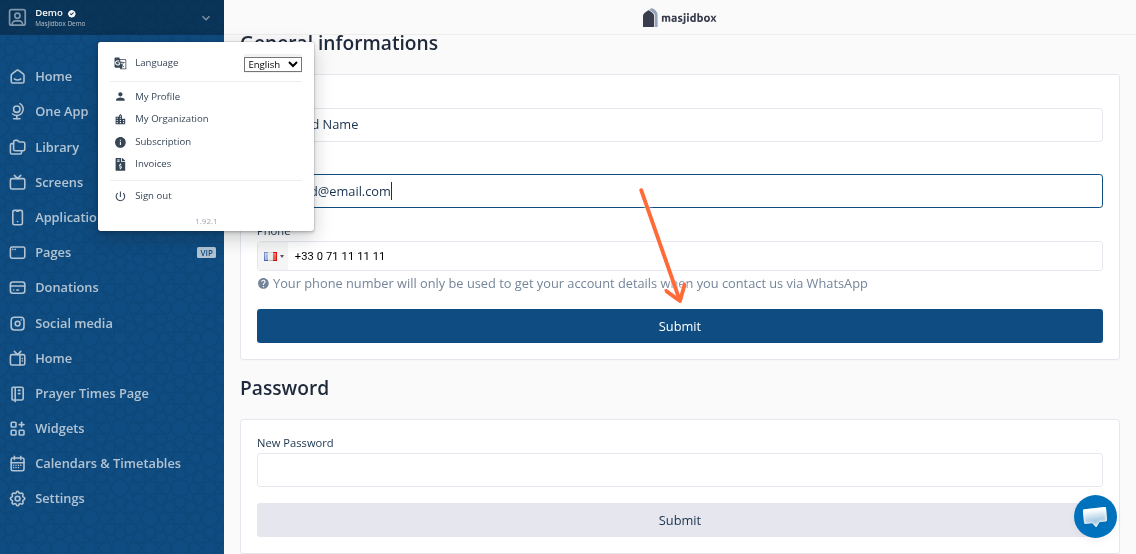
3. Update your information
Edit your name or email address in the form fields, then click Submit to save your changes.
Your changes take effect immediately. If you change your email address, make sure you can access the new email for future login and notifications.
Was this helpful?