
How to add a Live Video
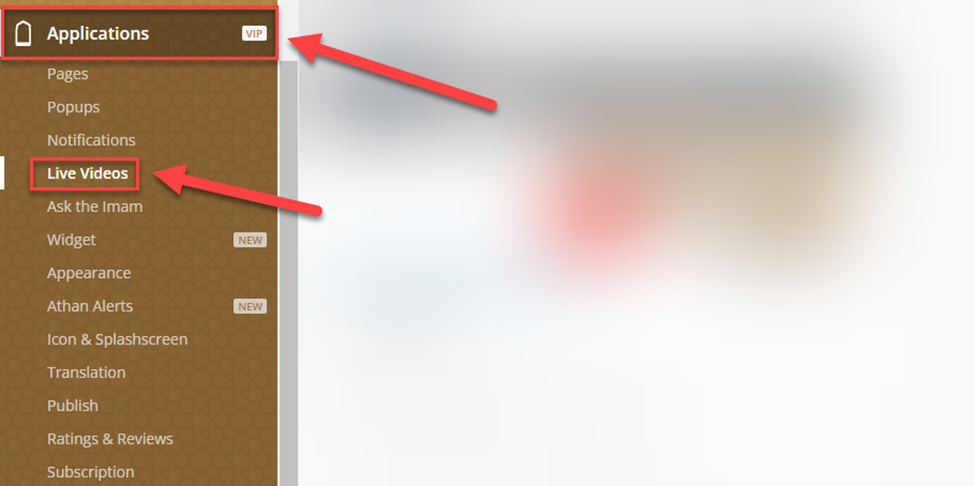
In the Dashboard, click on Applications, then Live Videos
Click on create⁽¹⁾ and enter your Video URL⁽²⁾ and click on create.
Now, click on Activate to make the video Live.
Was this helpful?
In the Dashboard, click on Applications, then Live Videos
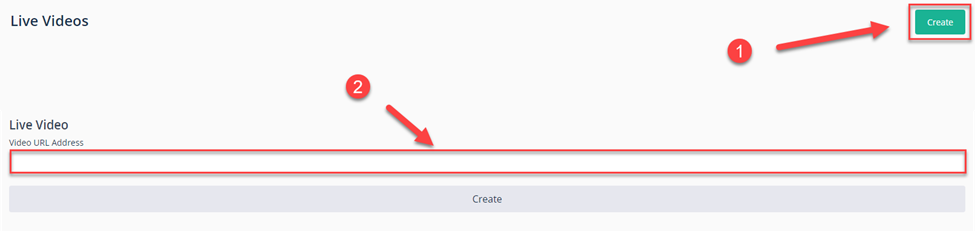
Click on create⁽¹⁾ and enter your Video URL⁽²⁾ and click on create.
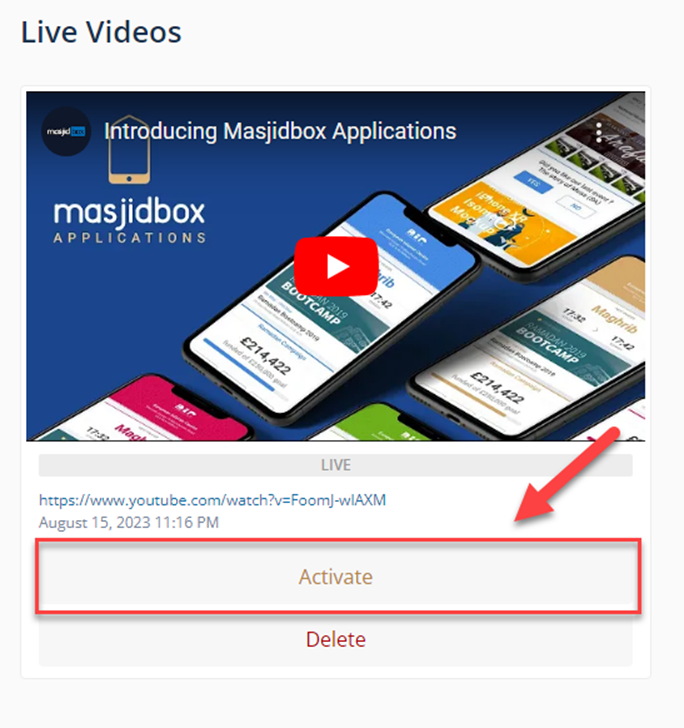
Now, click on Activate to make the video Live.