
How To Change the App Icon
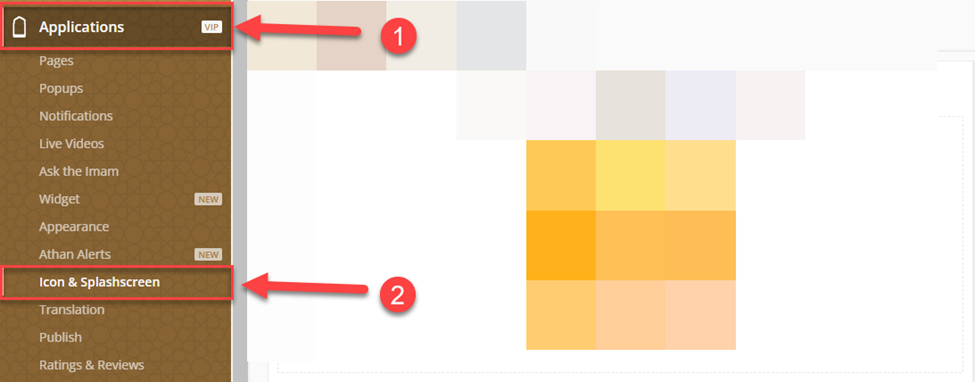
From the dashboard, go to Applications⁽¹⁾ then Icon & Splashscreen⁽²⁾
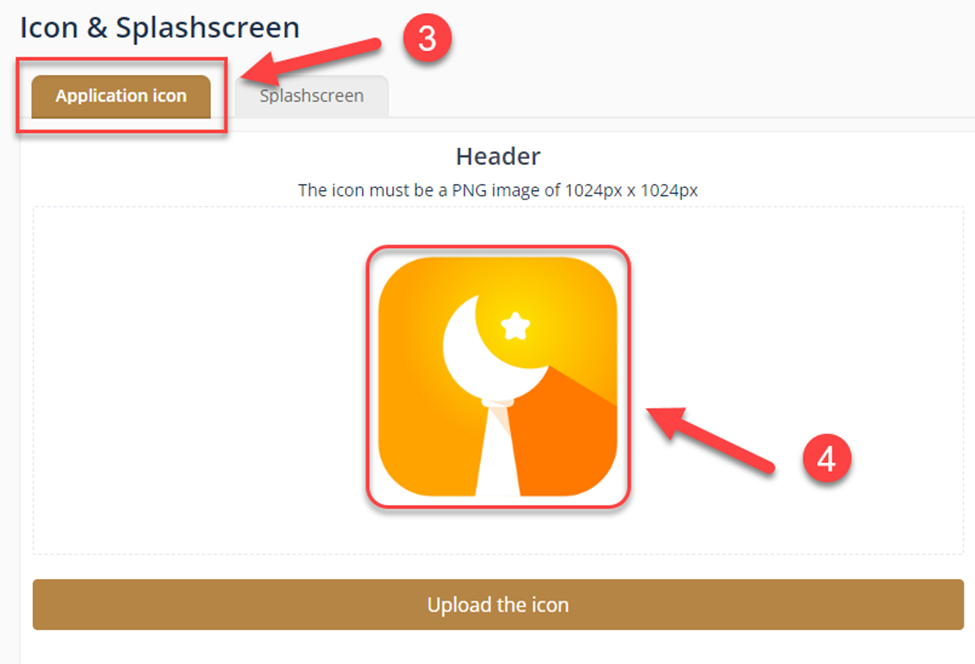
Click on the Application icon⁽³⁾ and upload your desired icon⁽⁴⁾, then click on Upload the icon. NOTE: The icon must be a PNG image of 1024px x 1024px
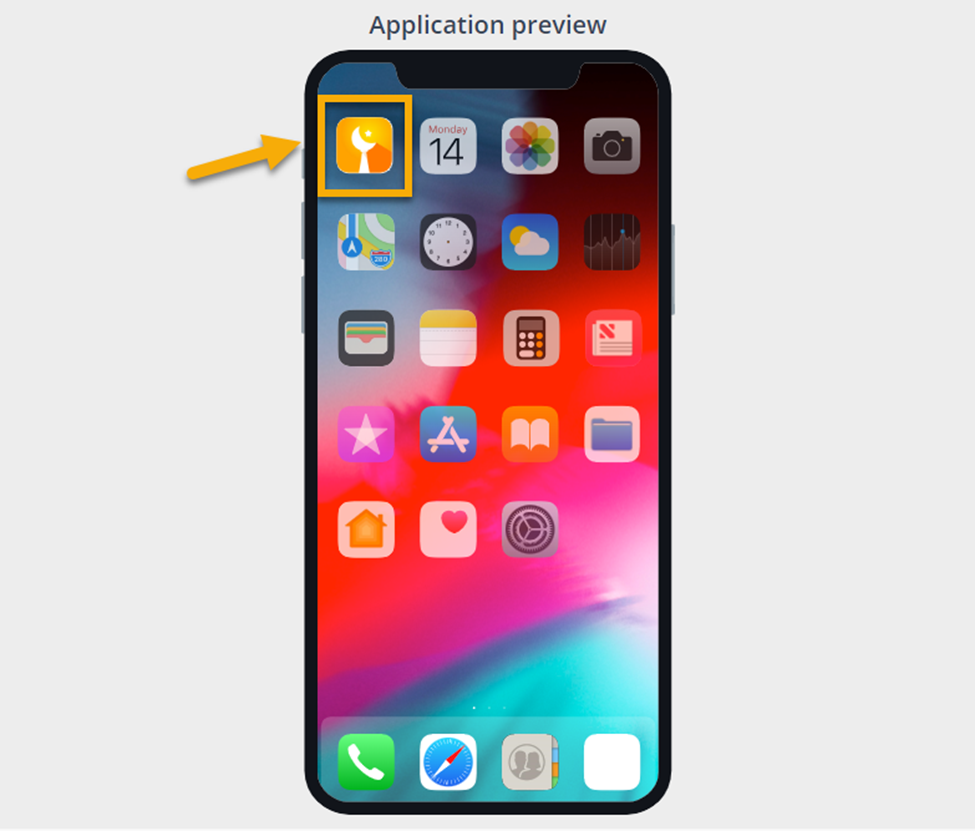
Check the Application Preview to make sure the icon looks perfect
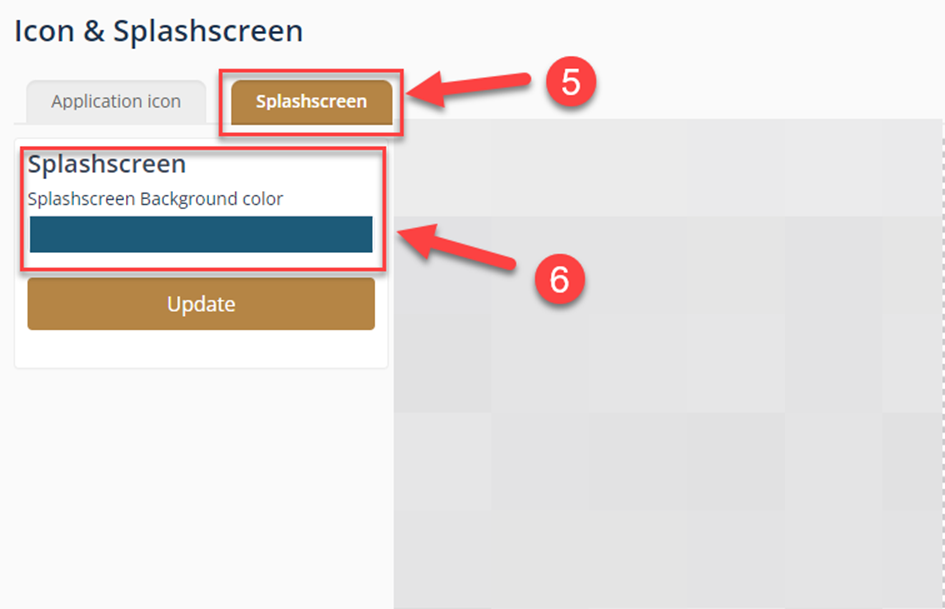
To change the Splash screen Background, go to Splash screen ⁽⁵⁾ and choose the Background color ⁽⁶⁾, then click update.
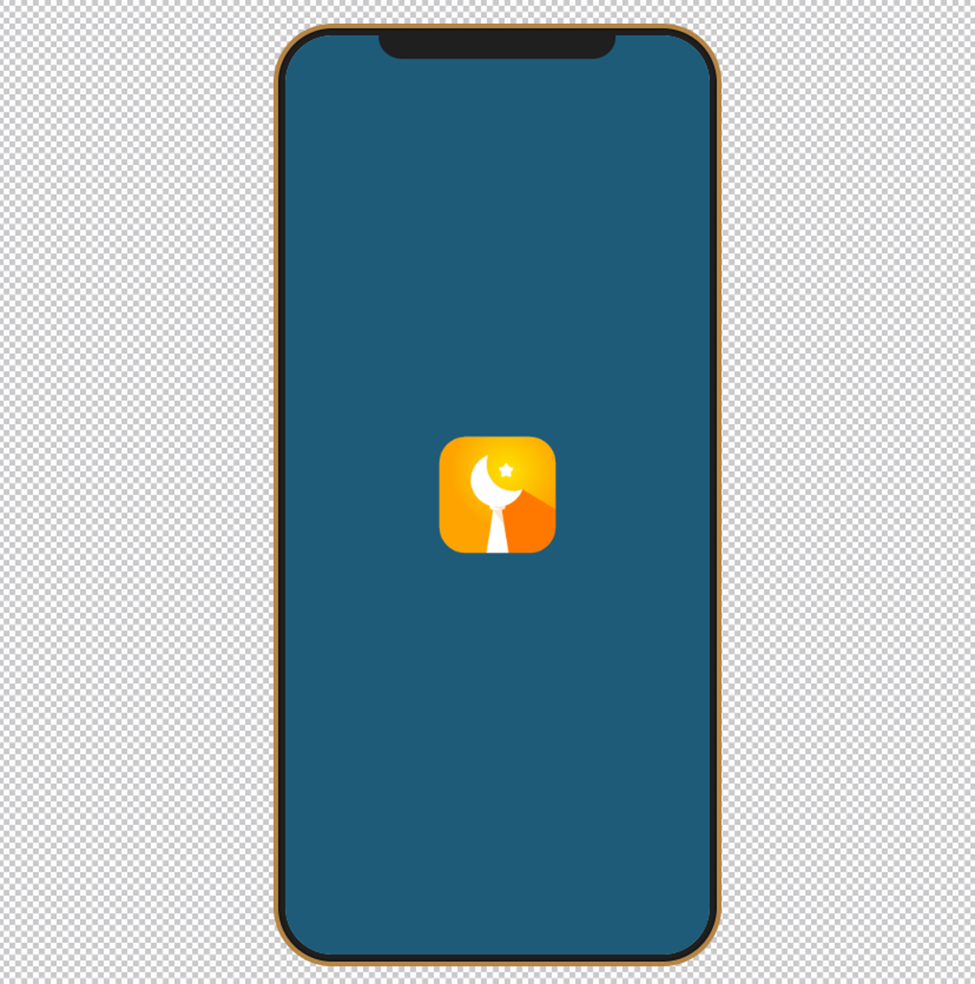
That’s how it will look
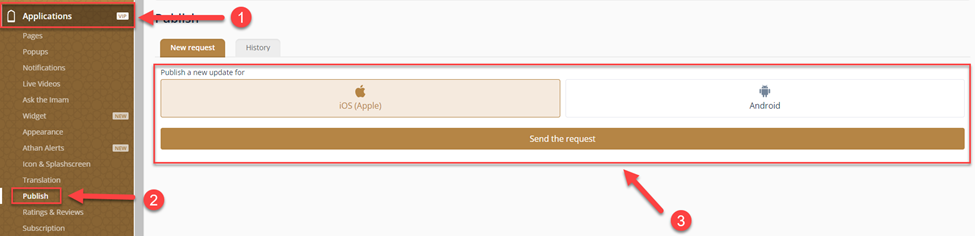
Now, you need to send an update request by going to Applications ⁽¹⁾, Publish ⁽²⁾, then choose the App operating system and click Send the request ⁽³⁾.
NOTE: The request will be added to the waiting list & will be approved ASAP
Was this helpful?