
How to create a last ten nights of Ramadan donation campaign
The last ten nights of Ramadan are the most sacred, including Laylatul Qadr. A dedicated campaign encourages your community to increase its giving during this blessed period. You can set a higher target, enable daily recurring donations, and schedule it to run only during the final ten days.
Before you begin: You'll need Stripe connected to your Masjidbox account. See How to set up your account for details.
Create your last ten-night campaign
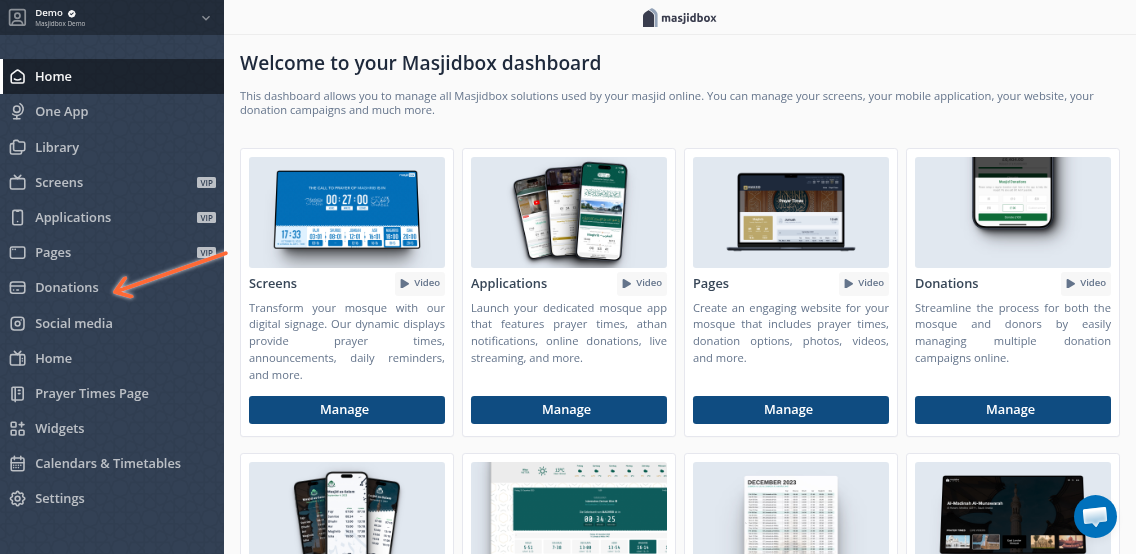
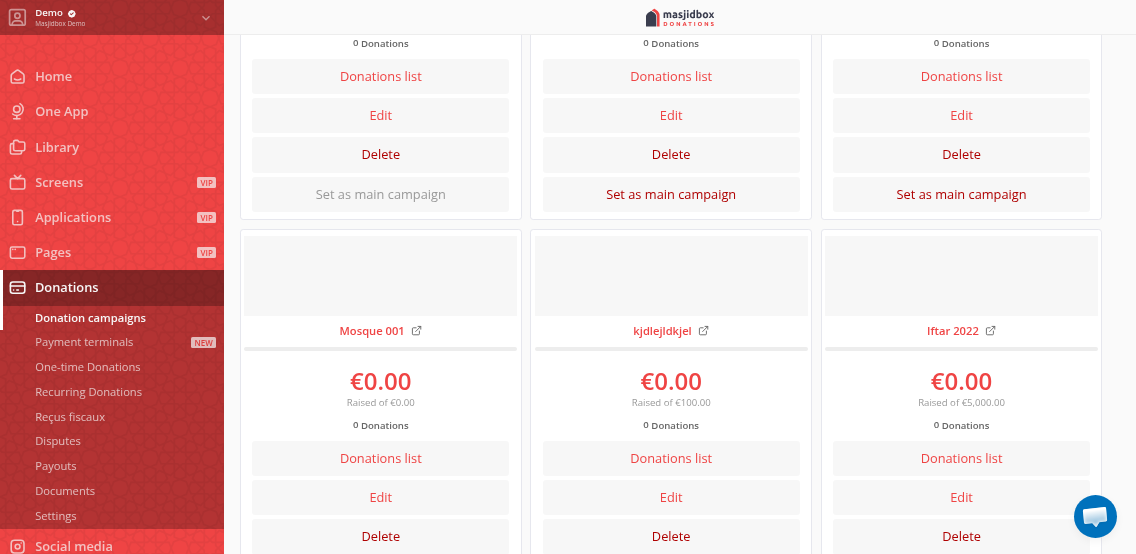
Go to Donations > Donation campaigns in your dashboard sidebar.
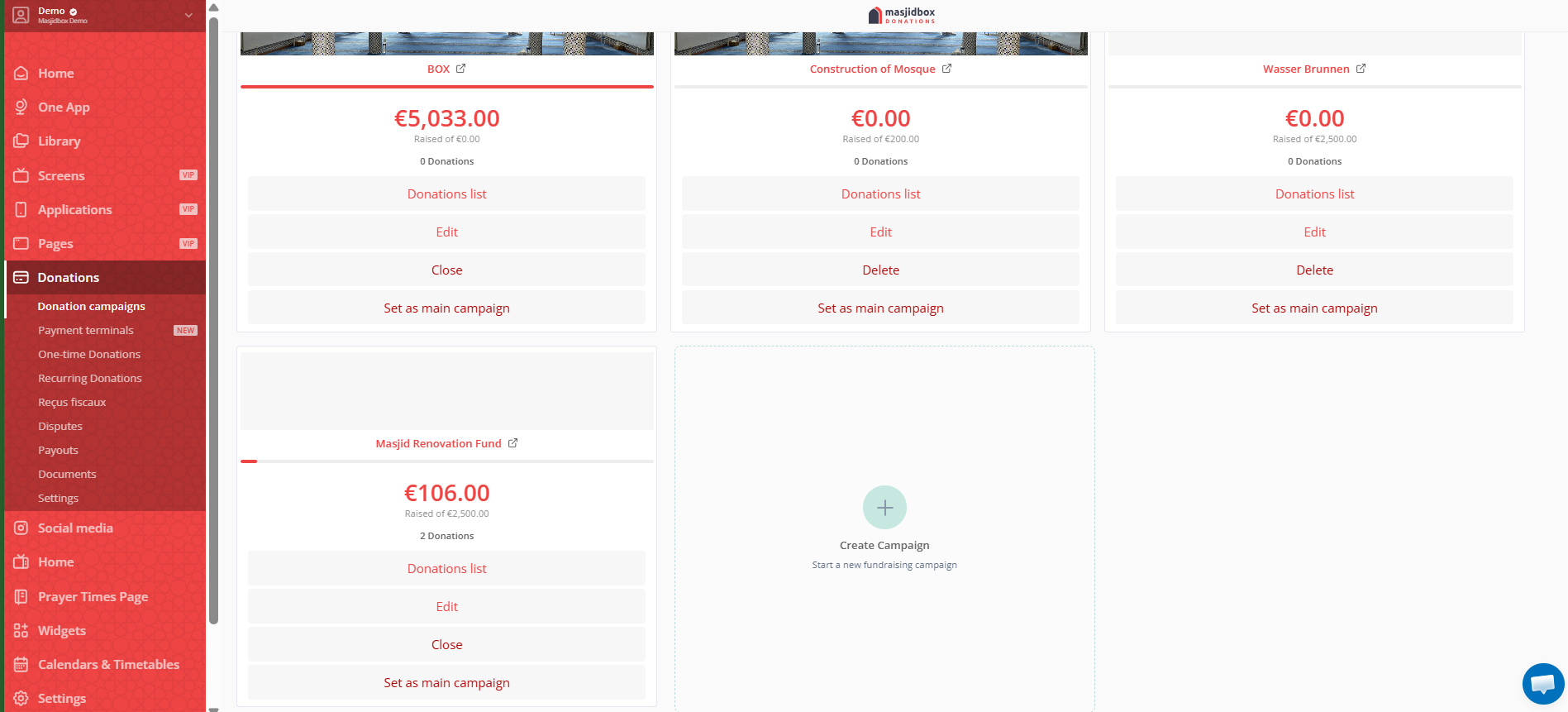
Click Create Campaign (+ icon).
Enter a Title like "Last Ten Nights of Ramadan" or "Laylatul Qadr Campaign."
Under Donation Type, select both One-time and Recurring Donations.
In Frequencies, check Daily to allow donors to contribute each of the ten nights.
Set Suggested Amounts higher than other campaigns (e.g., €20, €50, €100) to reflect the significance of these nights.
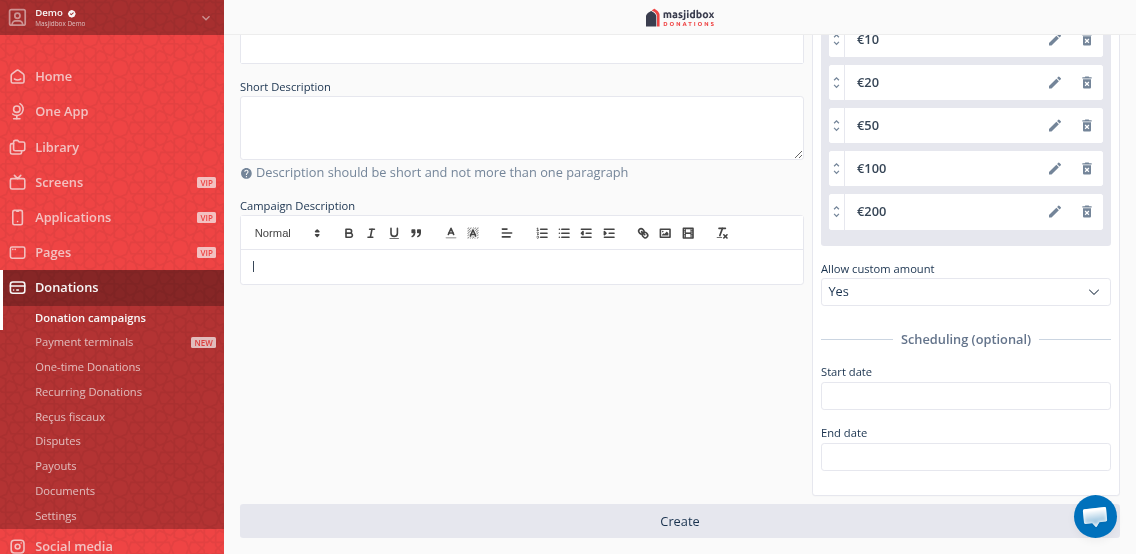
Optional: Add a Target Amount, upload an Image, and write a Description emphasizing the rewards of giving during Laylatul Qadr.
Under Scheduling, set a Start Date (21st night of Ramadan) and End Date (last day of Ramadan) to run the campaign only during the final ten days.
Click Create.
Promote your campaign
After creation, make your campaign visible:
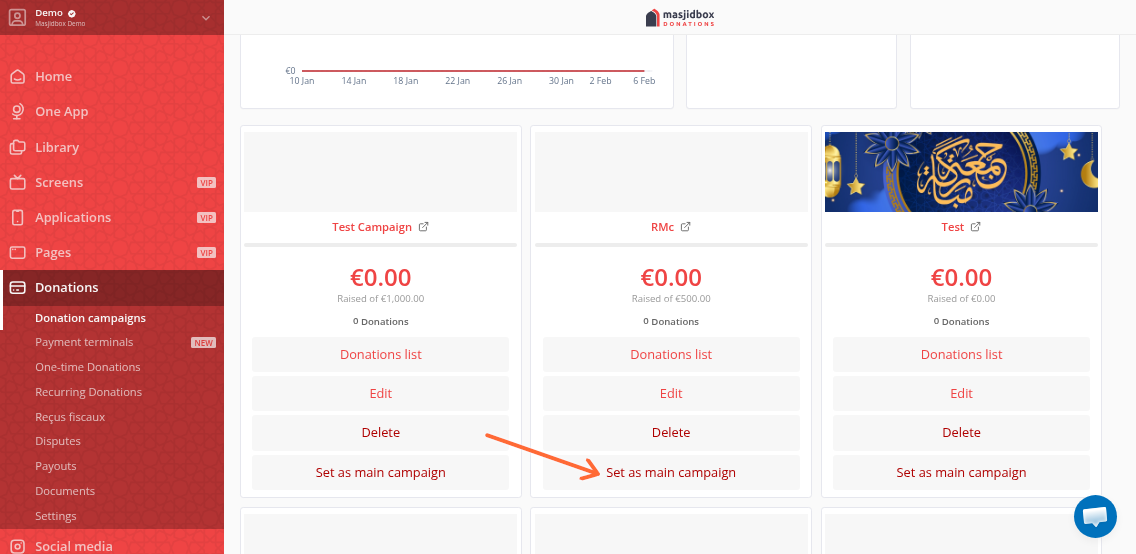
Set as Main Campaign: Click the three dots menu and select Set as Main Campaign to feature it prominently during the last ten nights.
Embed in Pages: Add it to your Ramadan page using Pages.
Display QR Code on Screens: If you use Masjidbox Screens, the QR code auto-generates for donations at the mosque during Taraweeh and Qiyam.
Announce at Taraweeh: Remind congregants each night about the campaign and the rewards of giving during these blessed nights.
Enable daily recurring donations so supporters can commit to giving every night of the last ten days. They'll receive a link to manage their subscription if needed.
Track donations
View all donations by clicking the Donations list on the campaign card. Track recurring subscriptions under Donations > Subscriptions. Monitor progress toward your target on the campaign card throughout the ten nights.
The campaign automatically closes after your scheduled end date. You can create a new campaign for next Ramadan or reopen this one.