
How to create notifications
In the Dashboard click on Applications then Notifications
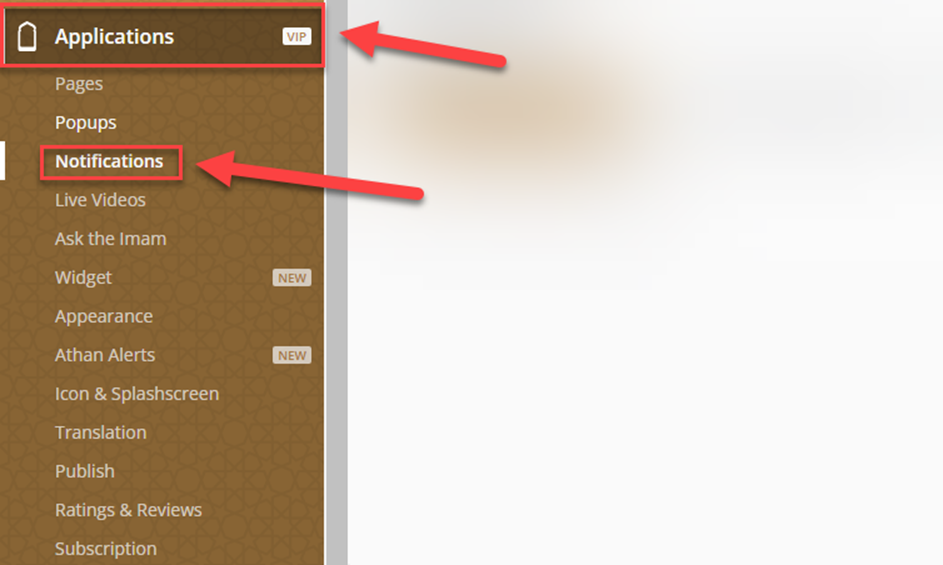
You have 3 notification options, Push Notifications, Scheduled Notifications and Recurring Notifications.
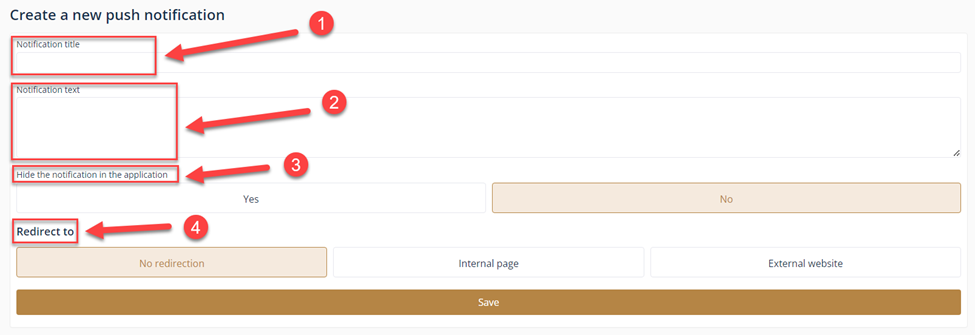
To create a Push notification, click on create

Enter the notification title⁽¹⁾, and the text of the notification⁽²⁾, choose if you want to hide the notification or not (YES/NO) ⁽³⁾ and the last option is redirection⁽⁴⁾ if you have an internal page or an external website.
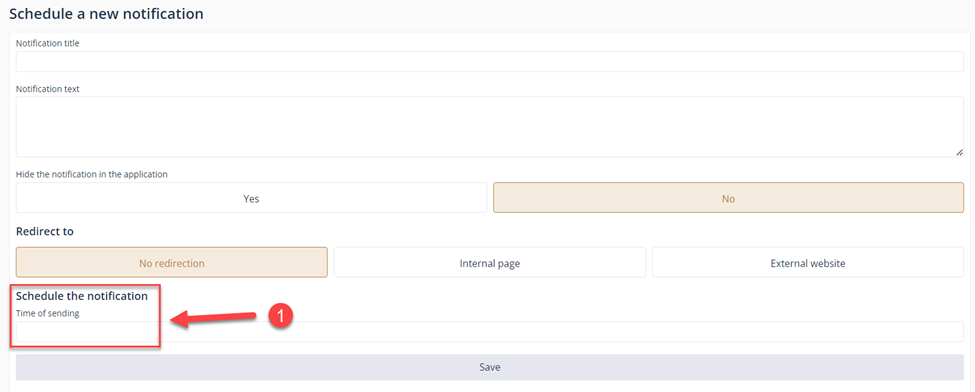
Scheduled Notifications⁽¹⁾, it is the same as the push notification but the only different option is you can select the exact date when you want the notification to be published.
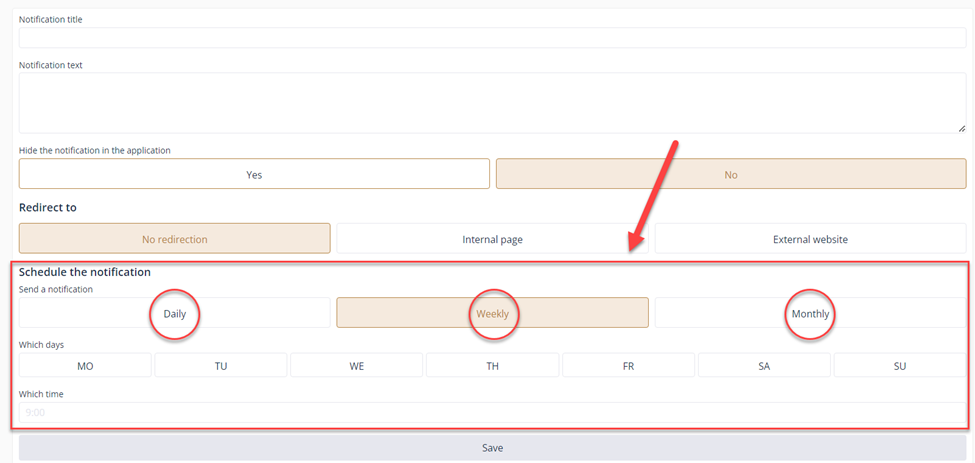
The last one is Recurring Notifications, it will allow you to send notifications on a daily, weekly or monthly bases to your users.
${color}[#d31717](NOTE: Make sure you click on save when you are done. )