How to link your OVH domain name
1. Setup your custom domain
Log in to your Manager space on the OVH website.
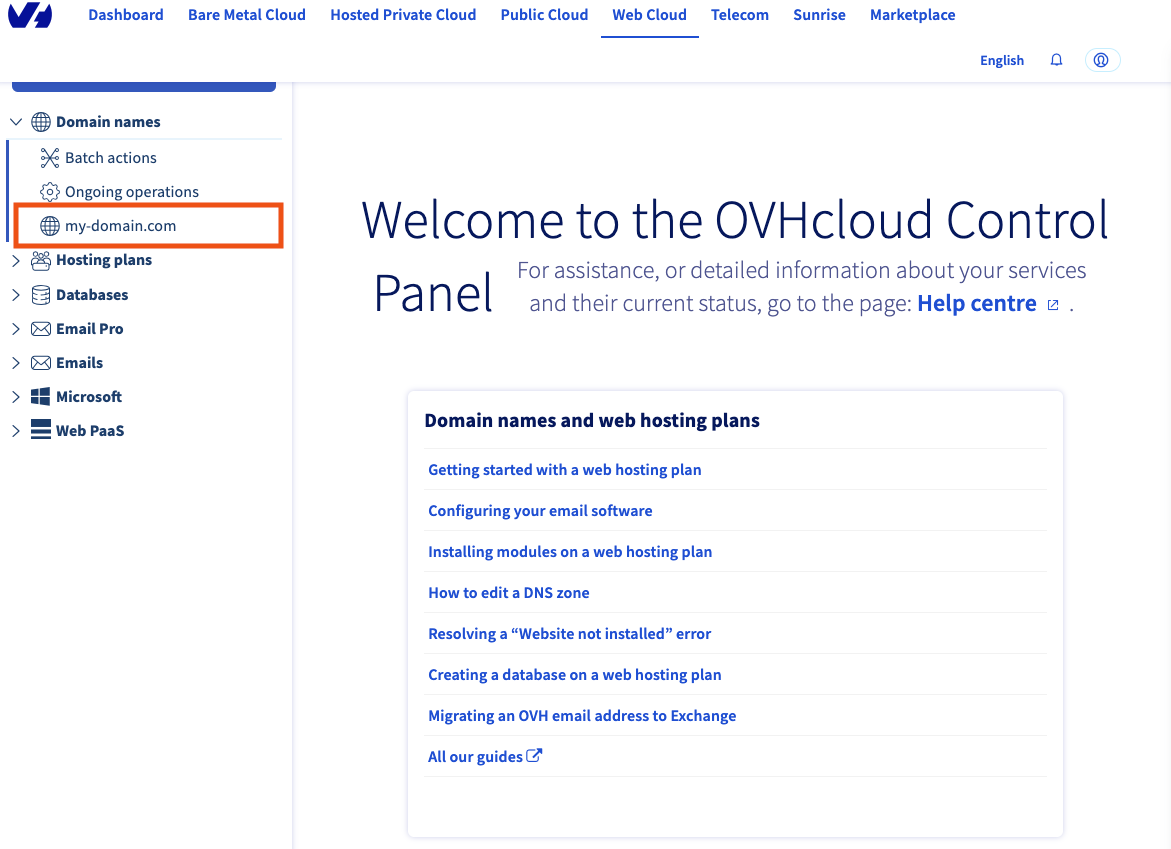
Select your domain name under the domain names category. Let's take as an example for this guide my-domain.com
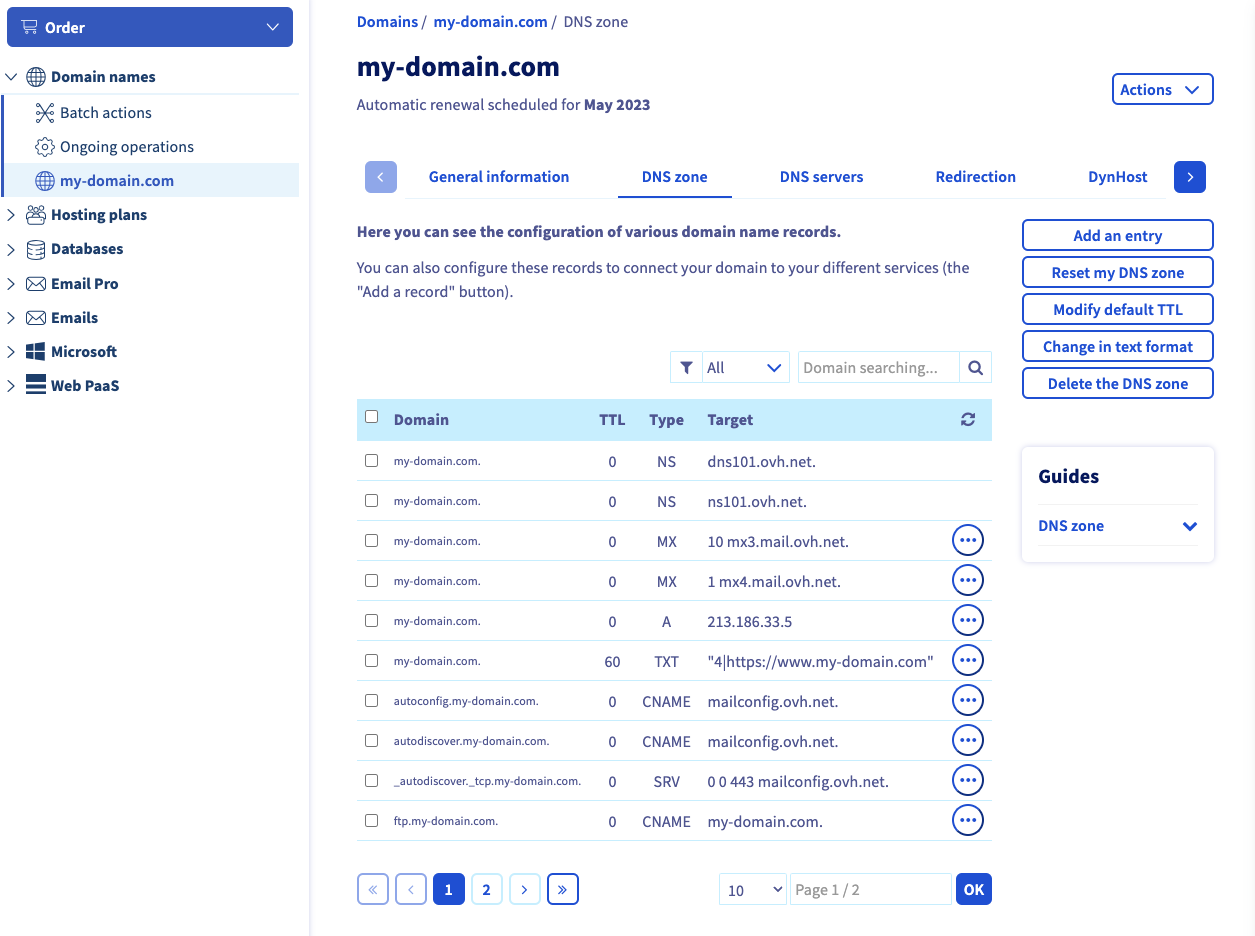
Go to DNS zone
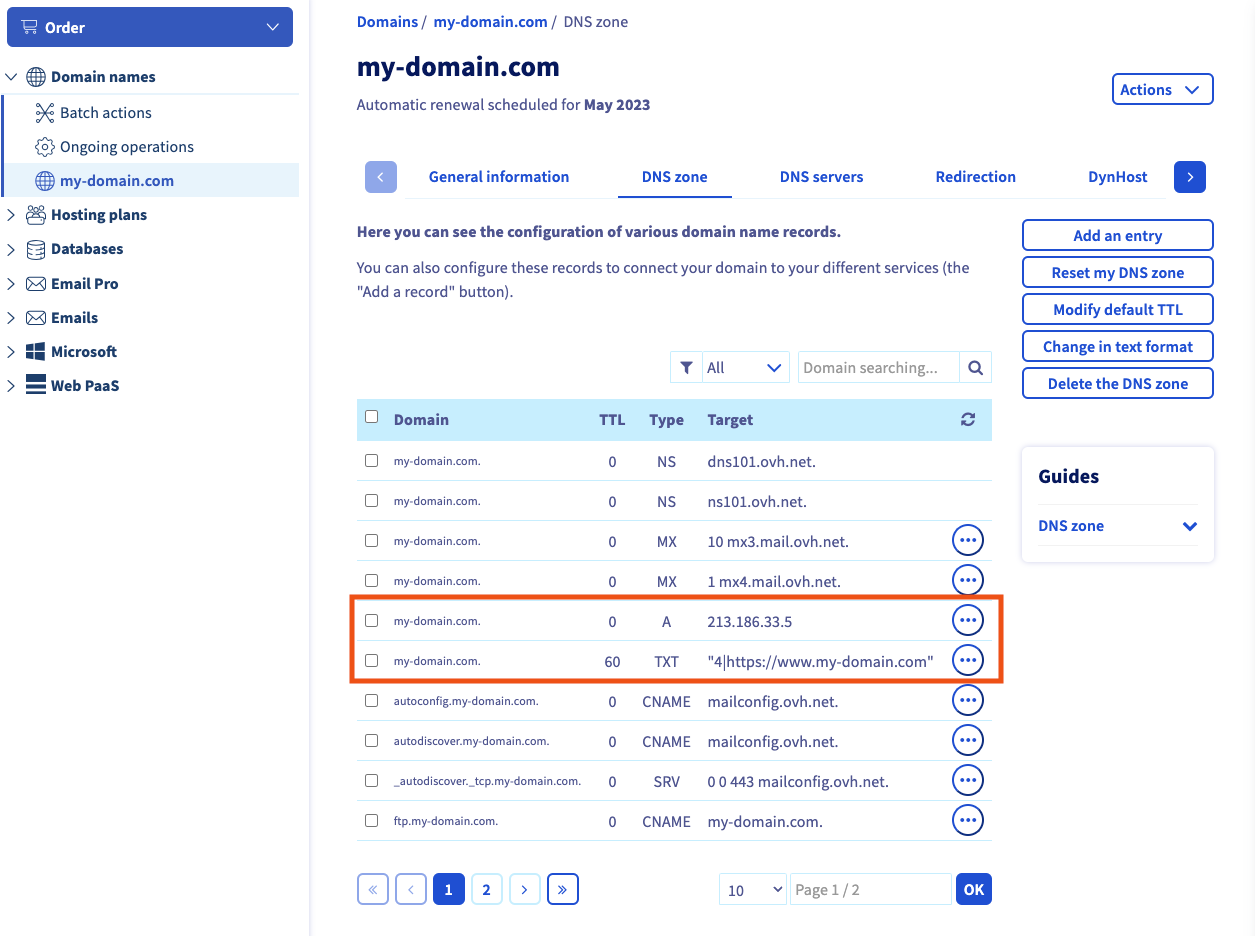
Remove those 3 lines if they exist_:_ click on the 3 dots button and then delete record ****- my-domain.com. 0 A xxx.xxx.xxx.xxx - www.my-domain.com. 0 A xxx.xxx.xxx.xxx - my-domain.com. 0 TXT xxxxxxxxx - www.my-domain.com. 0 TXT 3|welcome
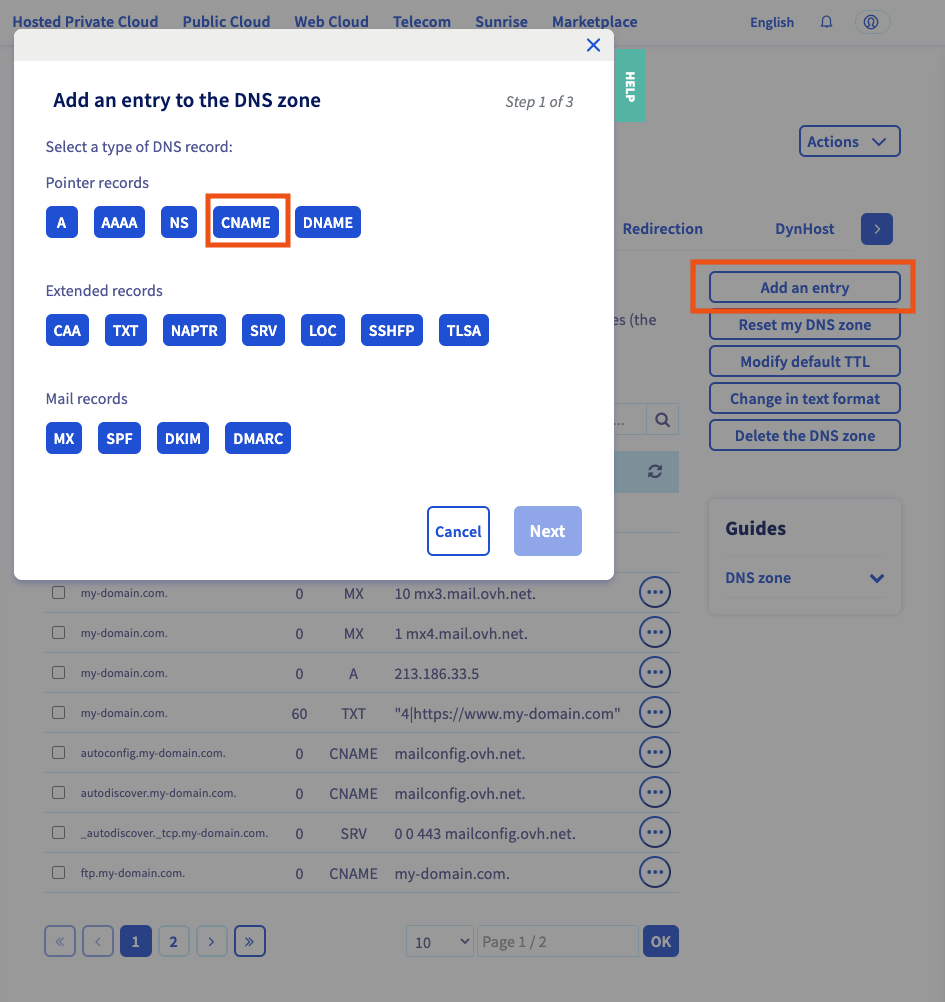
Click on add an entry button, choose CNAME
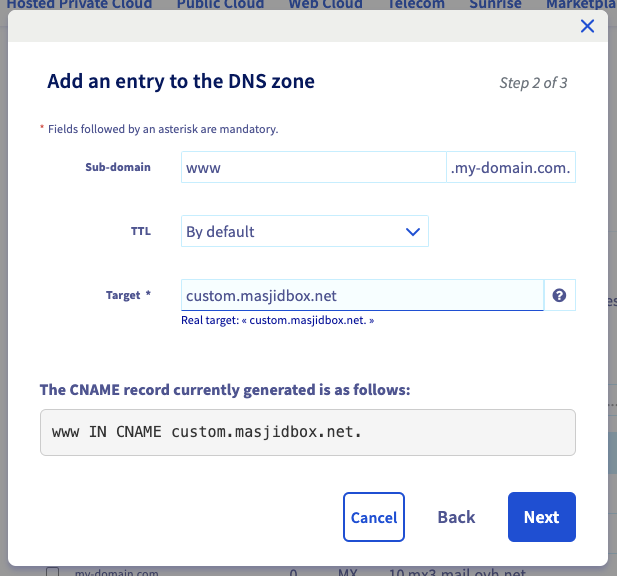
Add www (or another subdomain if you want) as Sub-domain, and custom.masjidbox.net as target.
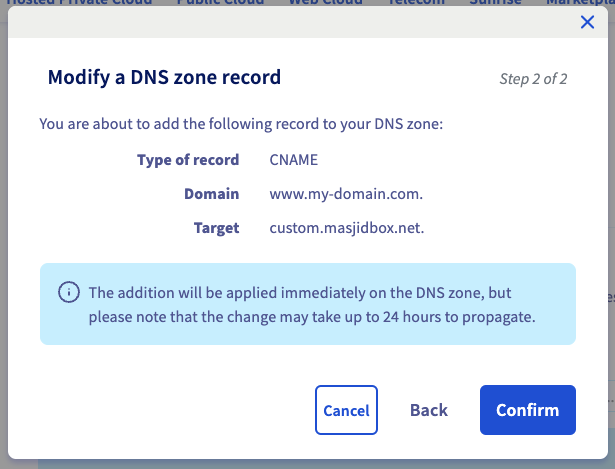
Click on Next button then Confirm button.
2. Link your domain name to your Masjidbox website
Go to Masjidbox Dashboard
Click on Pages menu, Settings submenu and then Domain Name section
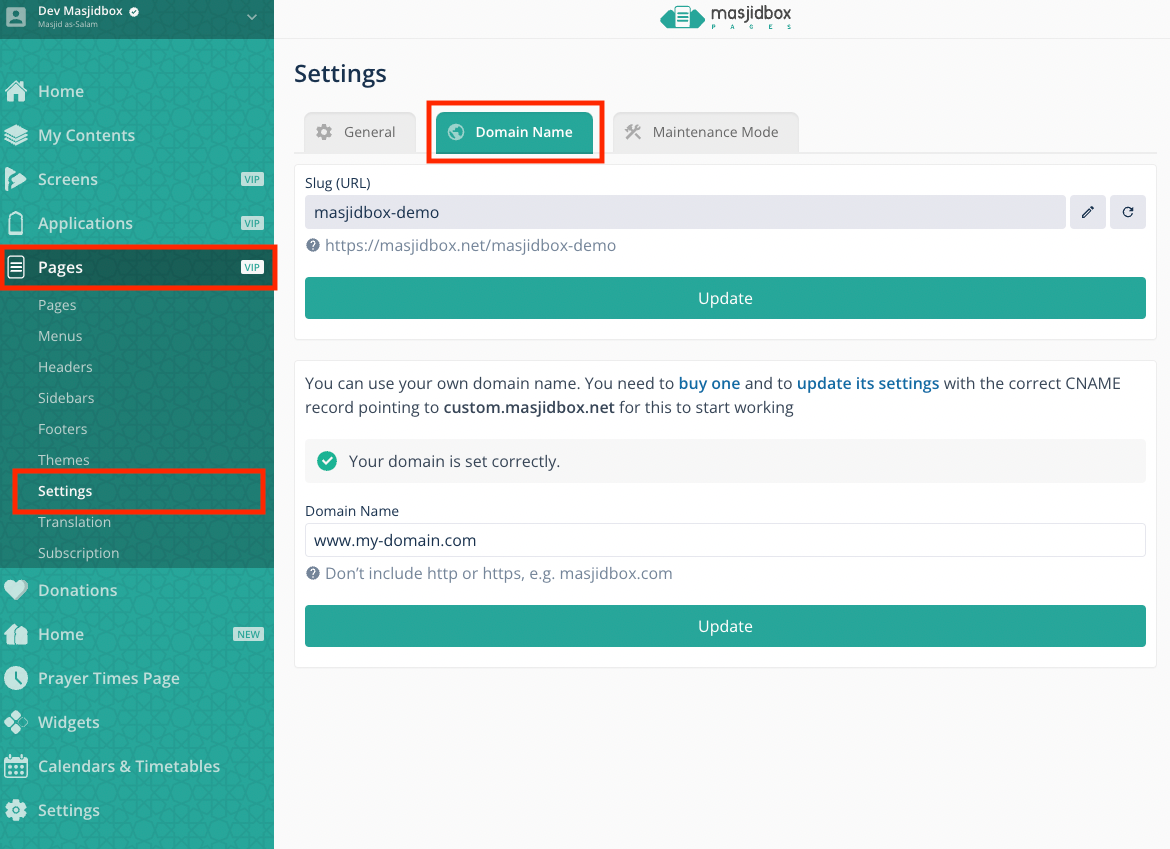
add www.my-domain.com as your domain name, and click on button
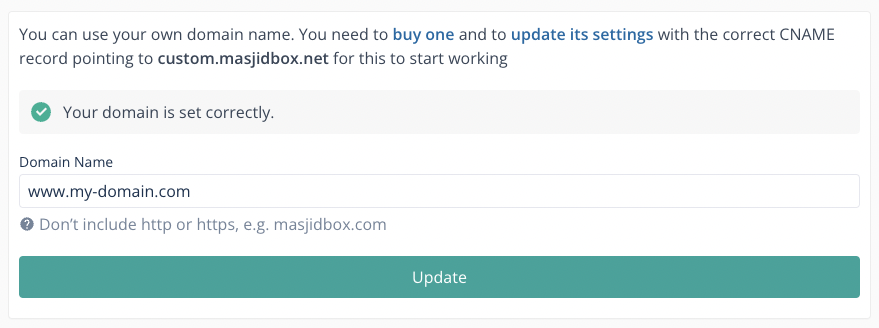
the domain name should be ok after 5 minutes. If not, please contact our support team.
3. Redirect all subdomains to www (optional but recommended)
Go back to your Manager space on the OVH website.
Go to Redirection, and click on Add a redirection button
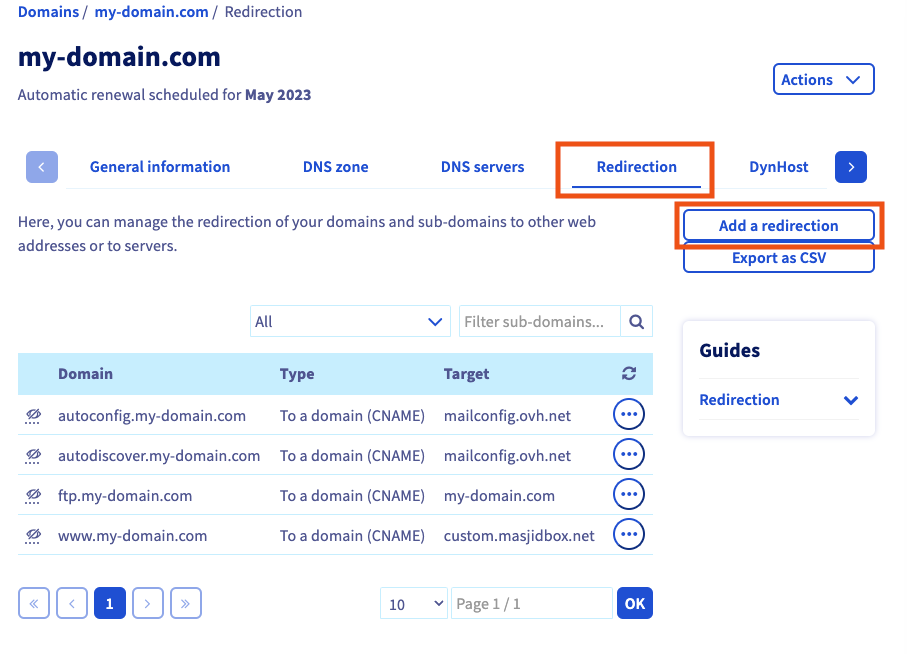
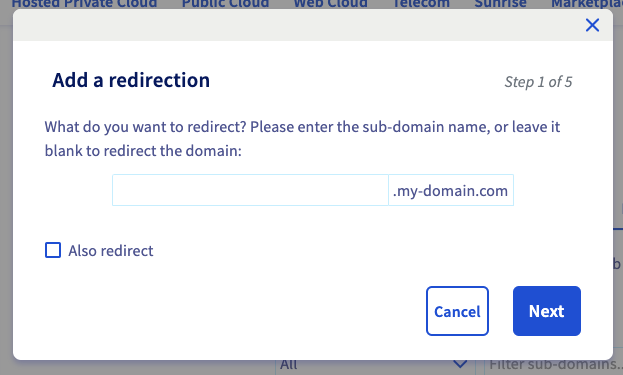
Keep the field blank and click on Next
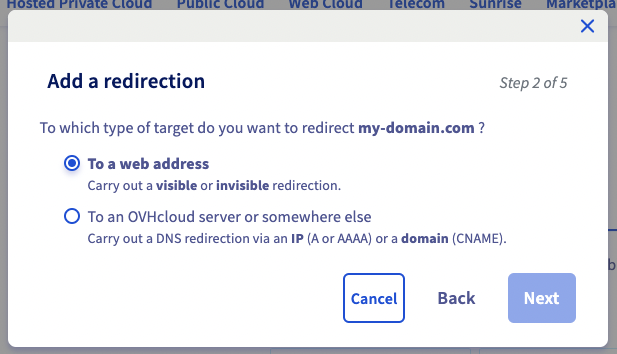
Select "to a web address" and click on Next
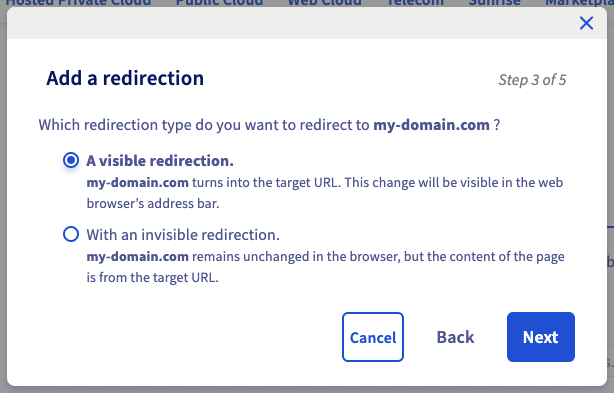
Select "a visible redirection" and click on Next
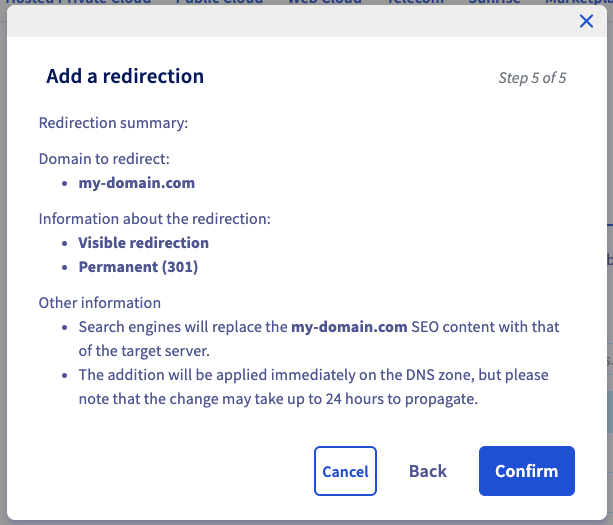
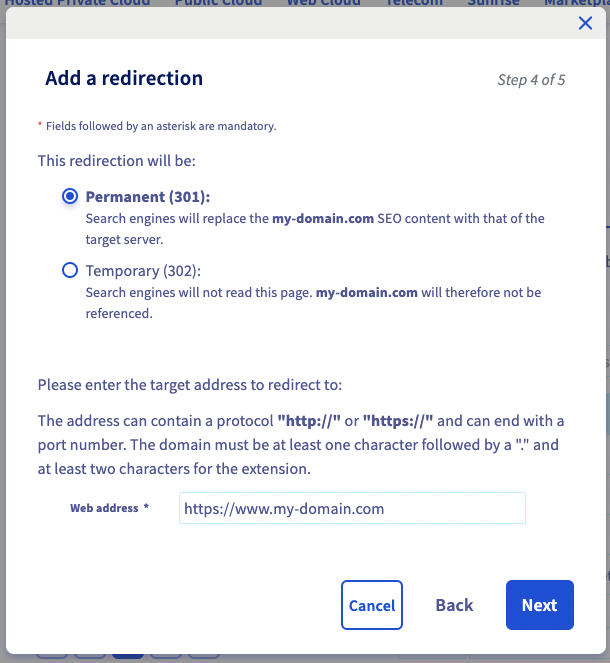
Select "Permanent" , add https://www.my-domain.com as the web address, and click on Next
Click on Confirm