
Step 4: Invite Masjidbox to your android account
Go to this page
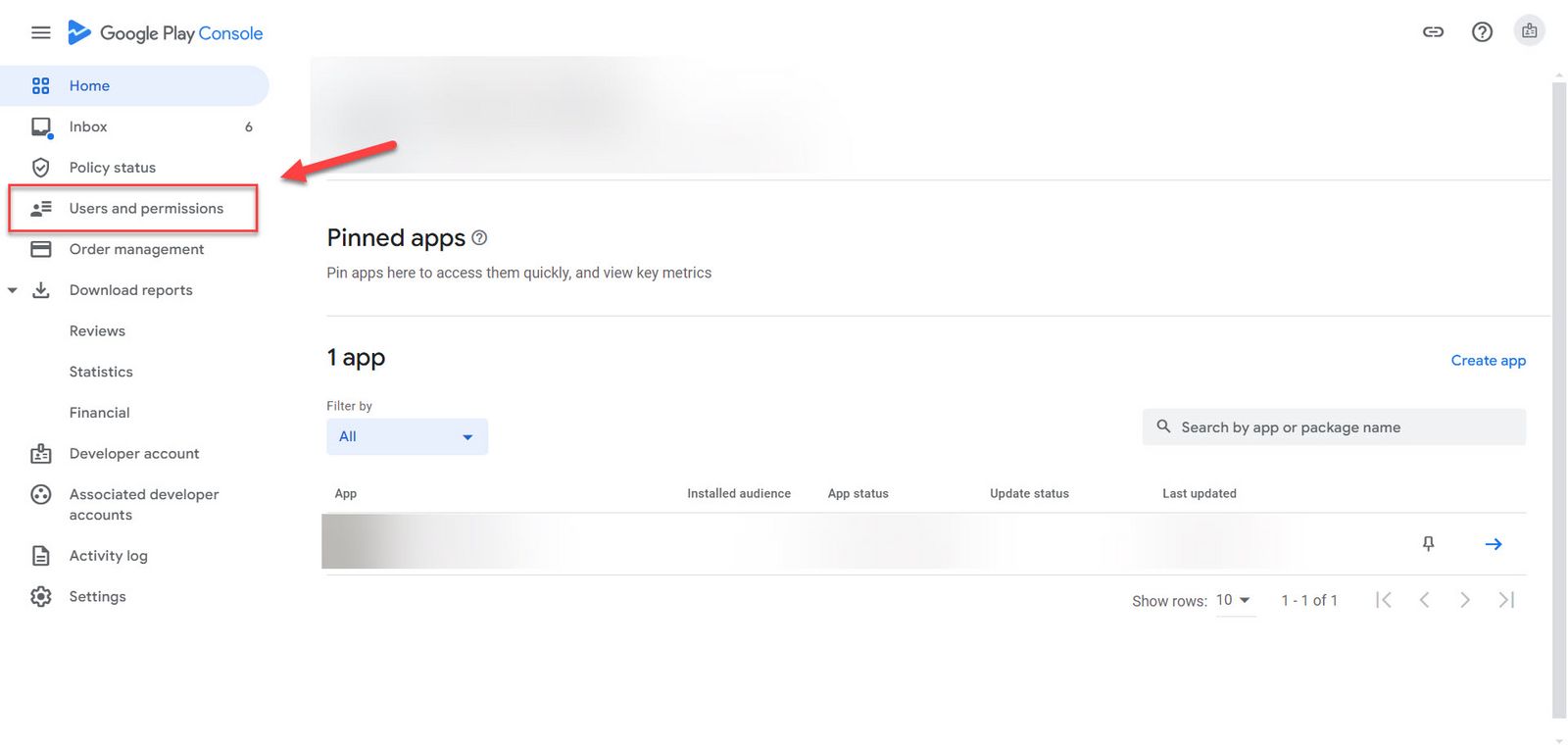
Click on Users and permissions
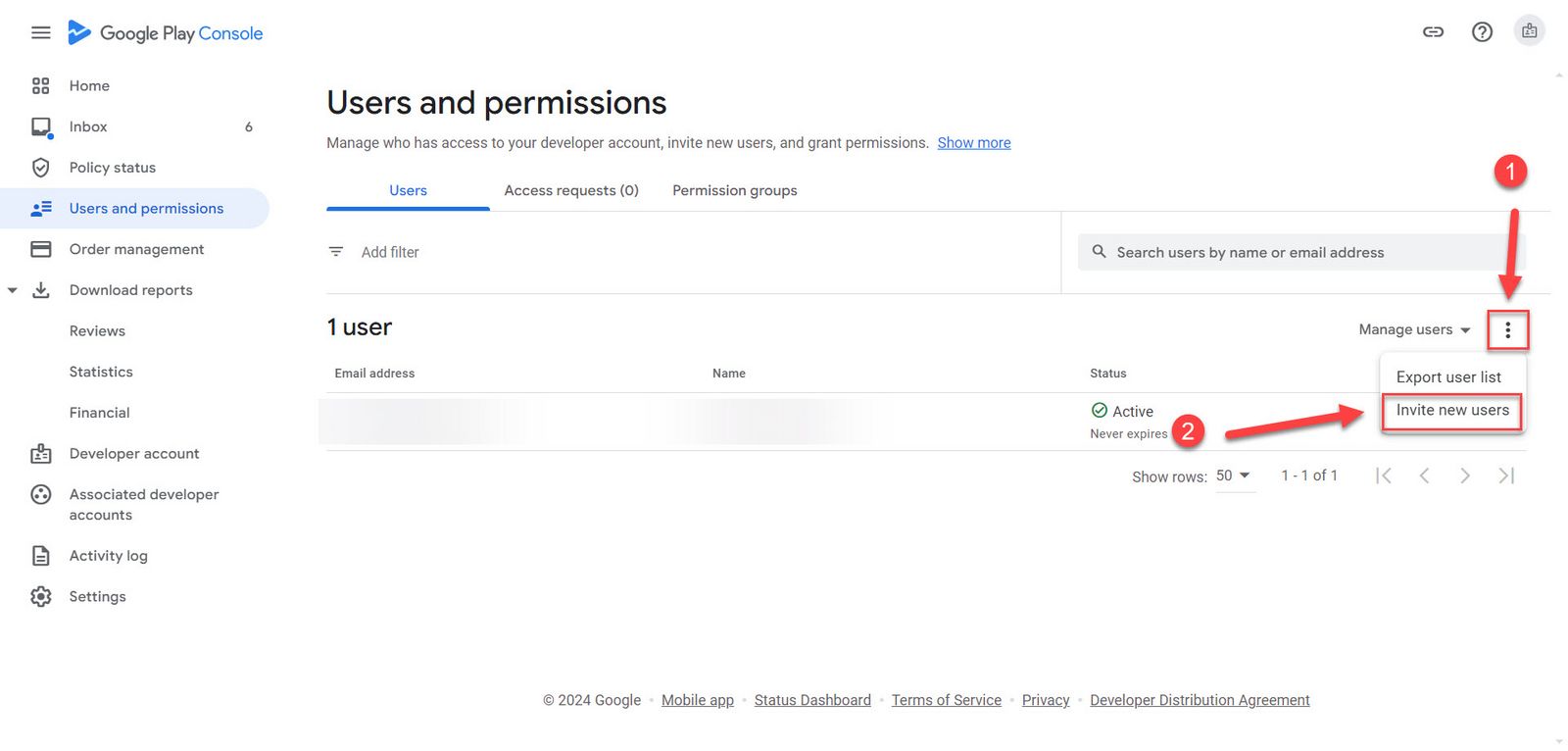
Click on the 3 dots and then Invite New Users
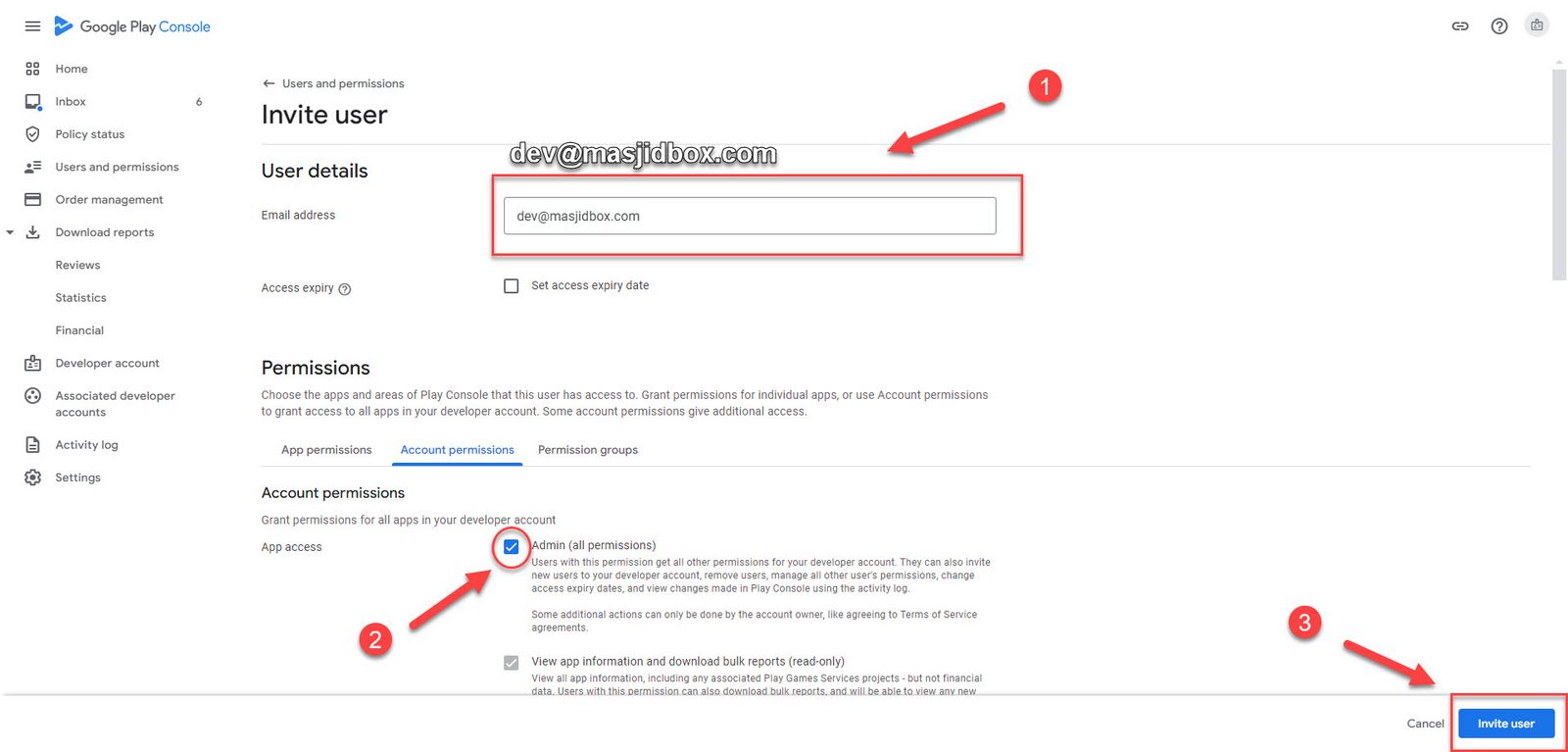
Enter the email '' [email protected] '' then click on Account permissions and check mark the Admin (all permissions) and ****Scroll to the bottom of the page and click the Invite User button
The invitation that you just sent will appear under Pending Invitations until Masjidbox accepts the invitation. Then it will appear under * Us ers with access*.
Congratulations you have completed all the requested steps! Thank you for your time!
Was this helpful?